We are currently using the foreman discovery image 5.1.3 to discover physical desktops.
We have new physical lenovo p4 desktops that have the realtek 8125 network card. When booting the foreman discovery image it does not get ip address which i believe is because the network drivers are not available on the latest available image (booting with a live ubuntu 26.04 image gets an ip).
Is it likely that an updated foreman discovery image will be made available soon or are there some better instructions for building our own updated version. I was able to build our own but unfortunately it failed to boot (see system halted) and not sure if its because I’ve missed something in the instructions (the instructions conflict with the code that can be cloned).
we drop some drivers from discovery image because of size, specifically Infiniband and WiFi, your drivers appears to be a regular one.
However, FDI is based on relatively old kernel. Does your hardware actually work on CentOS 9? If not, there is not much we can do about it right now. We are planning an update to CentOS 10, or even better, to bootc or CoreOS. But that will take time.
Check if the laptop runs on CentOS 9, let me know which driver is it I can check if it missing (is excluded) and add it for you.
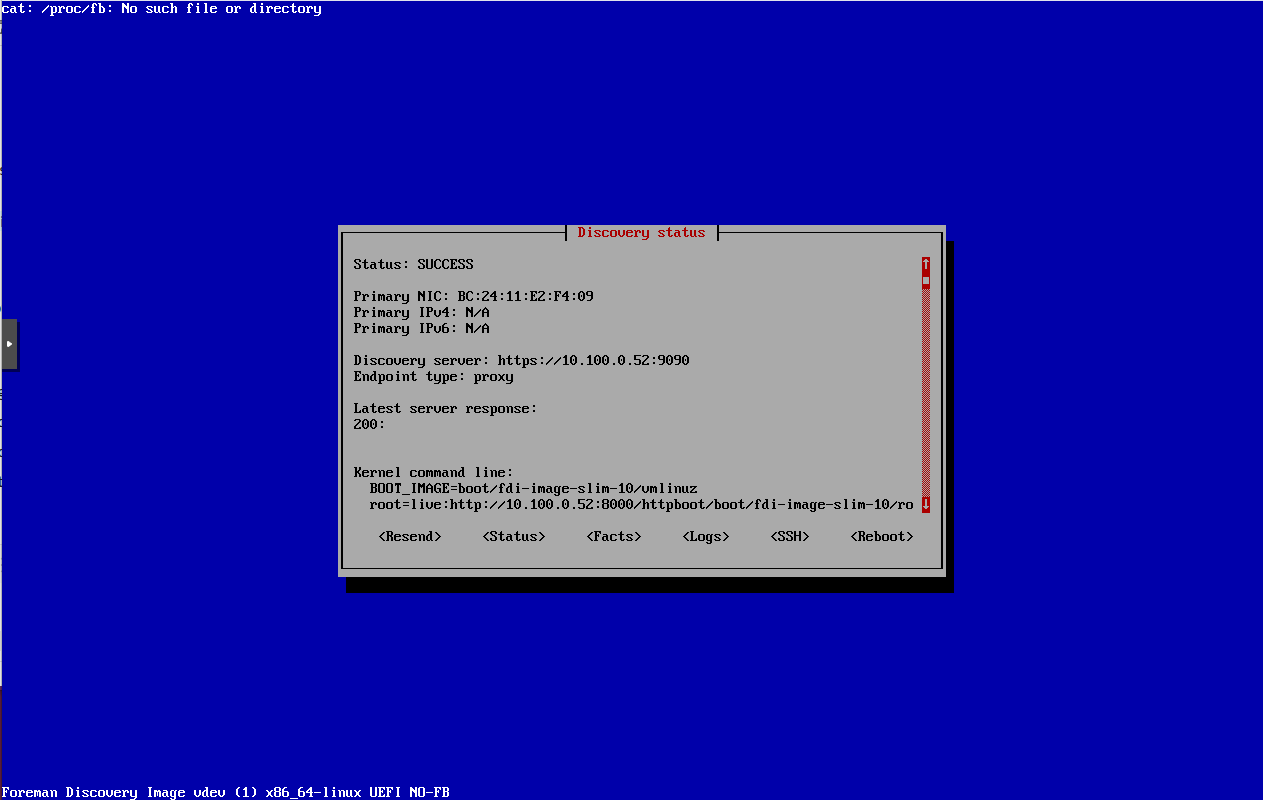
I downloaded the Centos10 FDI from Making sure you're not a bot! and updated the provisioning script and can confirm I was able to discover the host.
One minor thing that doesn’t affect it working at all, I noticed it has an error at the top left (cat: /proc/fb: No such file or directory), see attached.