This would be the equivalent of “full mirror” sync mode for yum content. This is not currently implemented for APT content. For technical reasons, we first need to finish with “structured APT for Katello” before we can consider placing a full mirror mode on the roadmap.
In short: This feature may happen one day, but there is currently no ETA, it is some ways off.
Having re-read this old thread, I can say apt list --upgradable with subscription-manager will only work once the “structured APT for Katello” story is done.
Sorry, the error msg is the same but the situation is not, because I don’t use subscription-manager with ubuntu. I have a source.list file with the repository configured.
Hi
I have been working on the deb repos signing subject but I think there is still a “little” of work to integrate it on Foreman before we can consider it production ready.
So I have a little question after my tests:
I have been trying this:
# sudo -u pulp PULP_SETTINGS=/etc/pulp/settings.py pulpcore-manager remove-signing-service --class deb:AptReleaseSigningService katello_deb_sign
CommandError: Signing service 'katello_deb_sign' could not be removed because it's still in use.
How do I disassociate a signing service from my deb repos?
The integration for pulp_deb signing services in Foreman/Katello is pretty limited. It is essentially just: “If there is a signing service named 'katello_deb_sign' in Pulp, then use it when publishing deb repositories.”
Everything else is delegated to Pulp. On the Pulp side, many signing service related workflows are also pretty limited.
With regard to your precise error: pulp_deb signing services may be referenced either from pulp_deb publications or repositories. As long as any references still exist, you will be getting that error. And as long as the signing service exists, new publications will try to use and by extension reference it. A Catch-22 that will likely require manual intervention to resolve.
For now, you can use pulp deb repository list and pulp deb publication list to identify which Pulp objects are referencing the signing service (you may need to run dnf install pulp-cli-deb first). I am hoping it is only the publications, and not the repositories, but I am not 100% sure of that. Can you confirm?
I have check the repository and publication list.
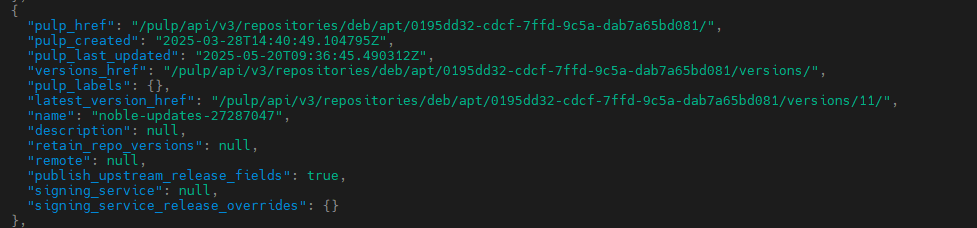
In the repo list, the signing_service is ‘null’ where it is referencing my katello_deb_sign in the publication list.
Even after deleting every version of the content view that have been signed, pulp deb publication list is still returning me publication with my signing service referenced
I am not actually sure what takes care of removing publications that are no longer needed. It might be Katello orphan cleanup. Try running foreman-rake katello:delete_orphaned_content
Not better after deleting the orphaned content
I will remove the repositories involved, delete the orphaned content and try to remove the signing service.
In general, it is not recommended to by-passe Katello using Pulp CLI, but in this case it may be the only way (I feel like Katello should have removed these publications either when the Katello repo was removed or else with Katello orphan cleanup). Also, publications can generally be rebuilt if they were removed in error.
Anyway, the way to bypass safe mode is either to edit your CLI config, or else to simply pass the flag --force to the Pulp CLI call. I am not 100% sure what subcommand knows this flag, but I think it might be at the very base, so pulp --force deb .... Just don’t make a habit of deleting things from Pulp unless you are absolutely sure they are no longer being referenced from anywhere within Katello.
Finally I didn’t force the publications “destruction” because I didn’t want to break my katello testing instance…
I had to remove every publications signed by the service and the repositories referenced by this publications. After that I was able to remove the signing-service properly with pulpcore-manager.
# sudo -u pulp PULP_SETTINGS=/etc/pulp/settings.py pulpcore-manager remove-signing-service --class deb:AptReleaseSigningService katello_deb_sign
Signing service 'katello_deb_sign' has been successfully removed.
I don’t know if the integration of the signing service is in the katello/pulp roadmaps but handling this throught the UI would be a good thing as it’s was a real pain via the cli!