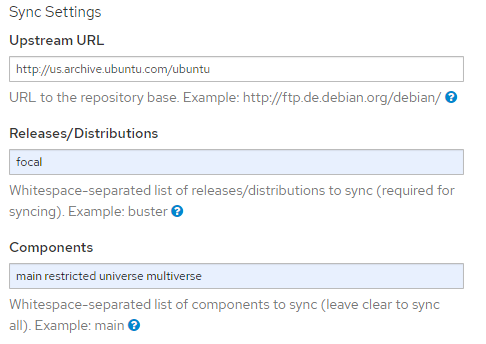
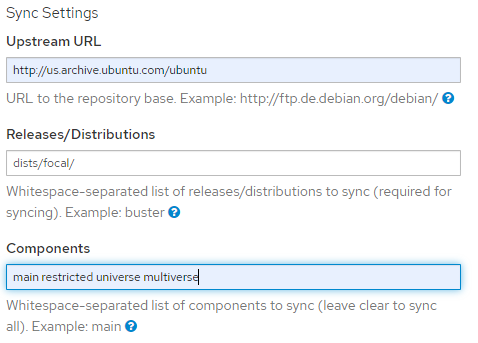
I’ve completely deleted the Product and am creating a brand new Product and Repository via the Foreman Web UI. Screenshots below of the process and outcomes. I should note that the reason I used a trailing slash in the first place was because of the tool-tip provided when clicking the ? on the Releases/Distributions field:
A “distribution” provides the path from the repository root to the “Release” file
you want to access. Each distribution in the list should use /etc/apt/sources.list
syntax. For most official Debian and Ubuntu repositories, the distribution is equal
to either the codename or the suite. When syncing a repo using flat repository format
specify exactly one distribution, which must end with a “/”.
I’m certain I’ve tried both of these methods without content synchronizing successfully, but for the sake of being thorough and posterity, I’ll try both methods here and document the results. The global variable FORCE_IGNORE_MISSING_PACKAGE_INDICES=True has been added to /etc/pulp/settings.py. Also, this is after following your suggestion on GitHub for pulp_deb and all services have been properly restarted using the commands you provided.
Traditional Method
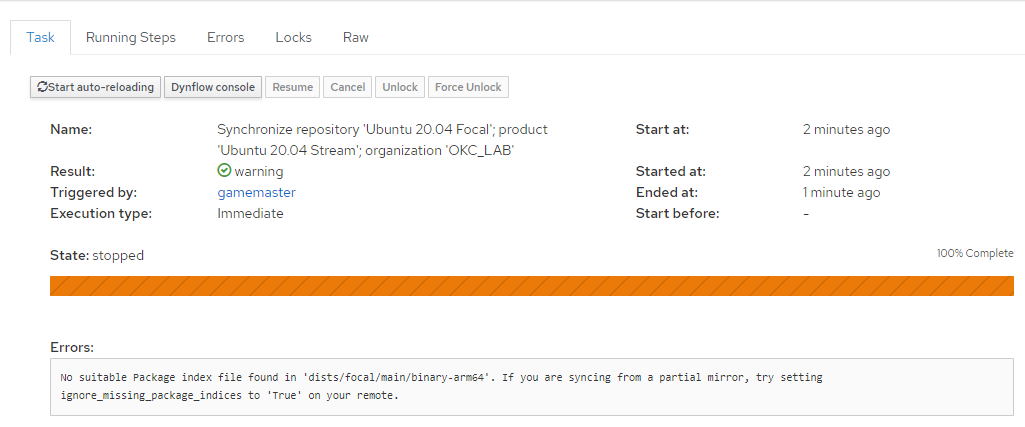
Results
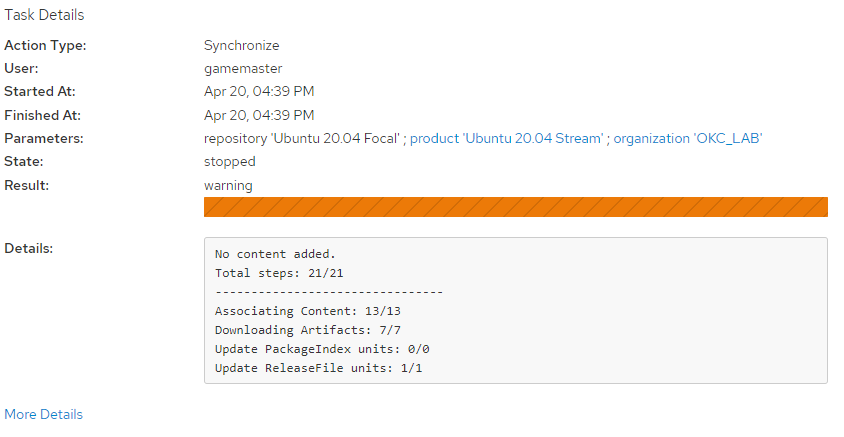
More Details
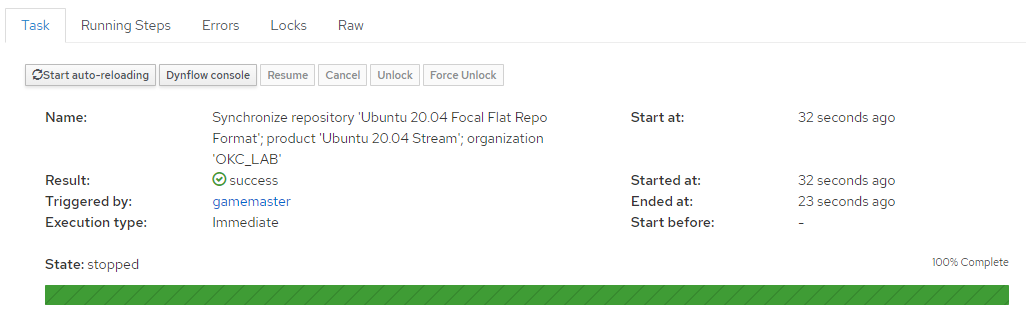
Flat Repo Format
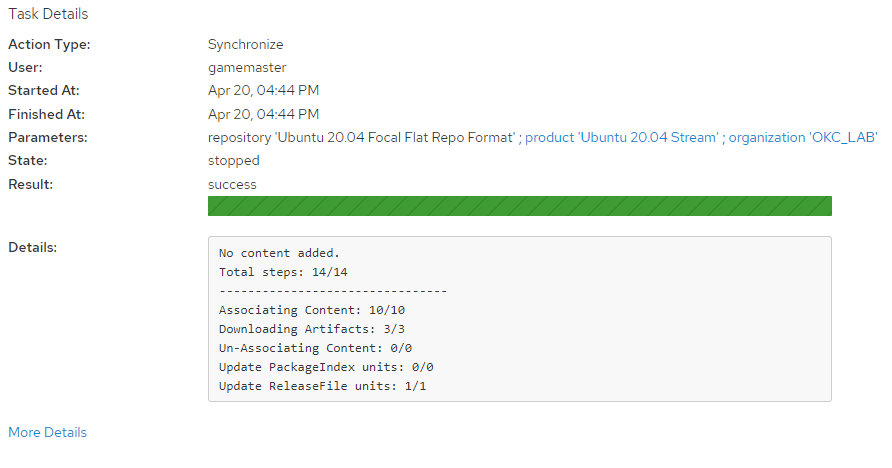
Results
States success but also No content added.
More Details