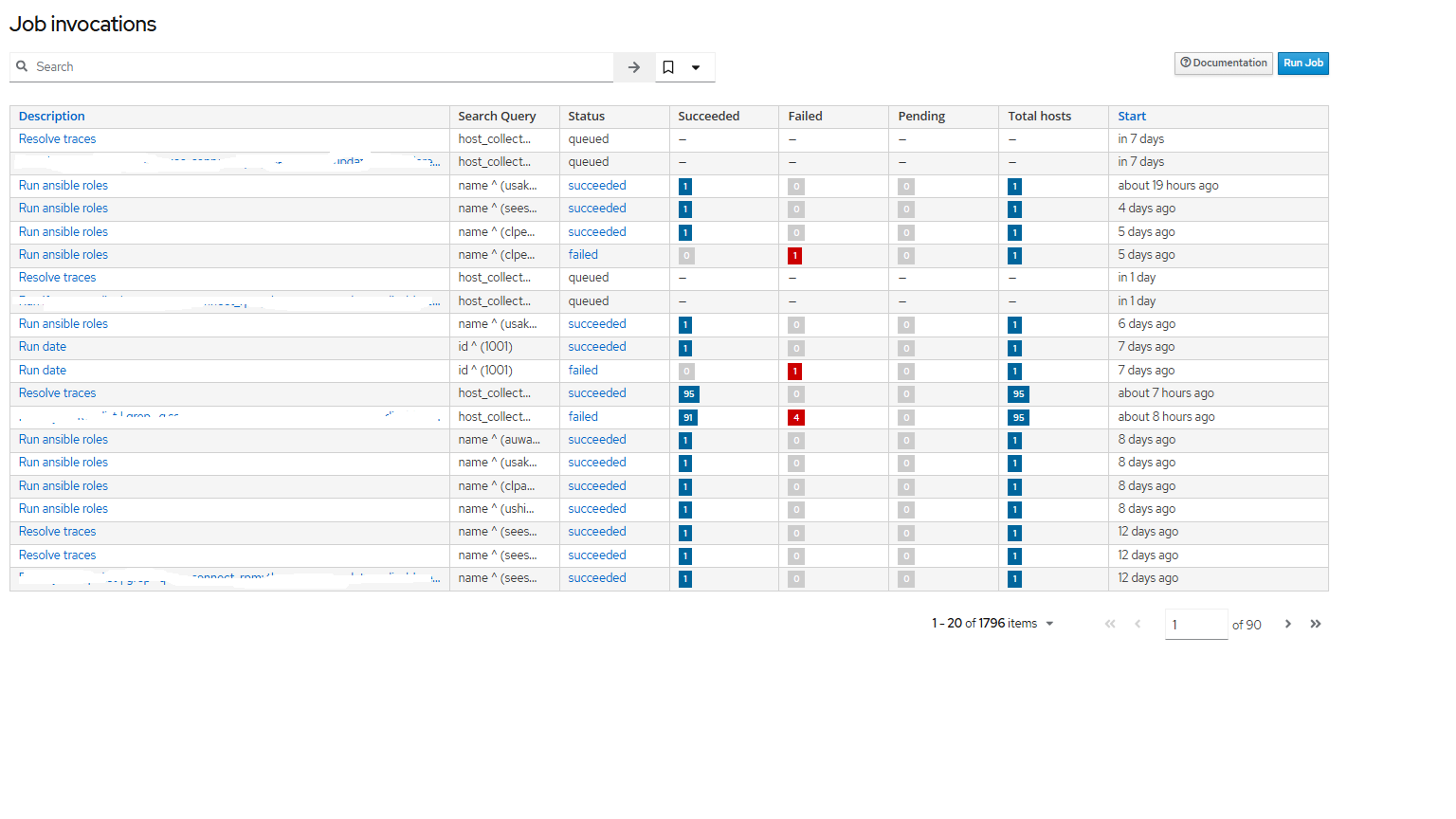
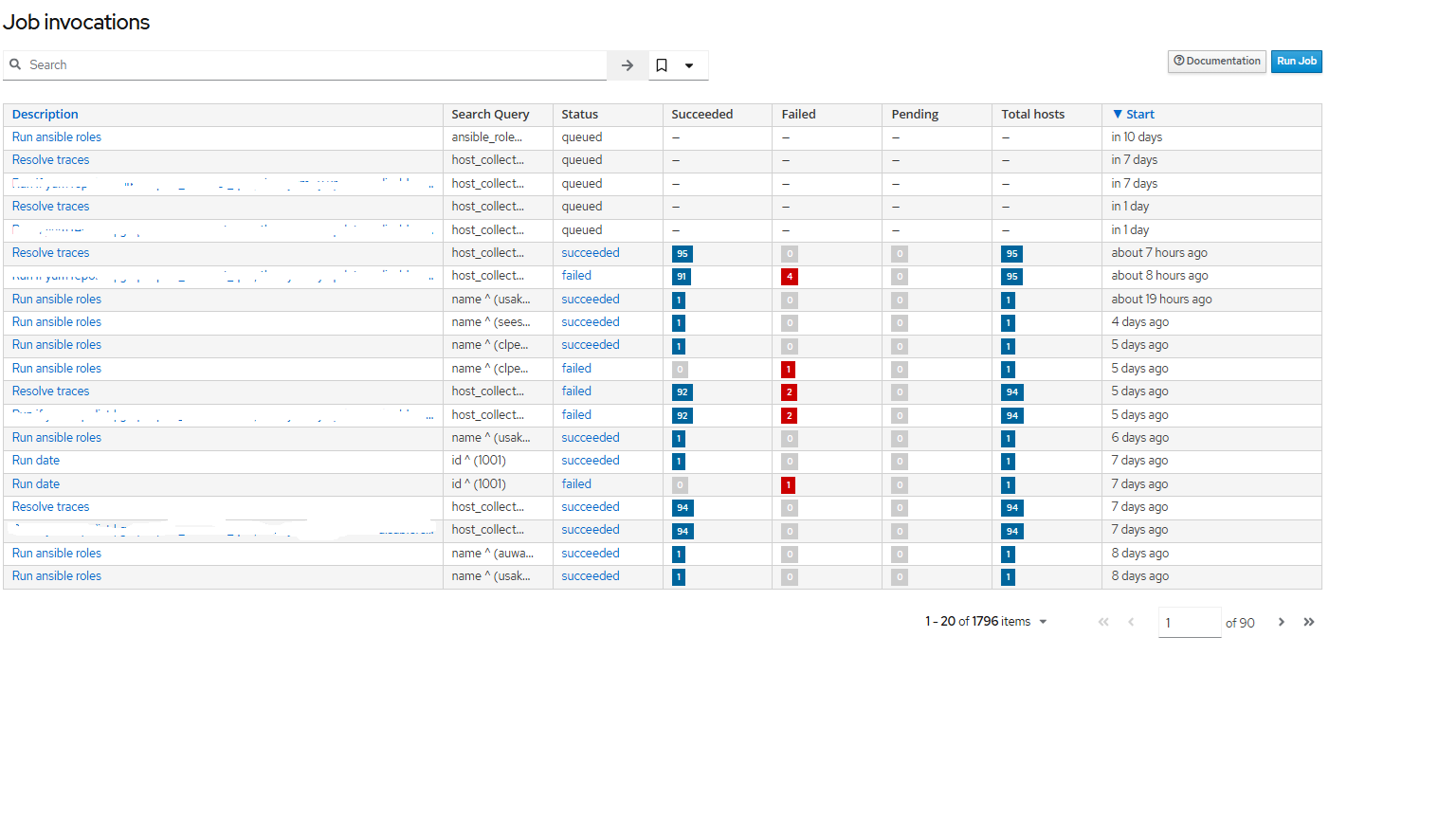
On Foreman 3.14/Katello 4.16.2 and noticed when I want to check jobs on the “Job invocations” page I always end up having to click twice on the “Start” column header to sort the jobs by start time.
ex. If I just enter the page I see:
as you can see page is just kinda sorted on start time but mixed.
If I click twice on the “Start” column header to sort the table on start time I get:
To me this sorting make sense and would be my preferred default sorting.
Can someone let me know what the default sorting is for this page and if it perhaps can be tweaked to actually sort on start time by default?
The default ordering is by internal id in descending order. This roughly translates to job creation time.
As a configuration option? Not really. The closes thing to that would be bookmarking the page with the ordering you want and then using that.
It could be changed in the code, but then the downside is that if you have a lot of things scheduled for the future, they would push out the things which just started to run.
OK, sorting by internal ID just gets a pretty weird order to me. I mean normally I want to see the result of all most resent jobs and perhaps see what is queued to run soon, to me the start time is the most reasonable value to use for sorting. Without the sorting I get jobs that ran 7 days ago above a job that ran a few hours ago.
I was looking in adding a search bookmark, but it seems they do allow any way to actually sort the result right?
So only way would then be to make a bookmark in the web browser going to ex.:
https://foreman.internal/job_invocations?locale=en_GB&order=start_at+DESC