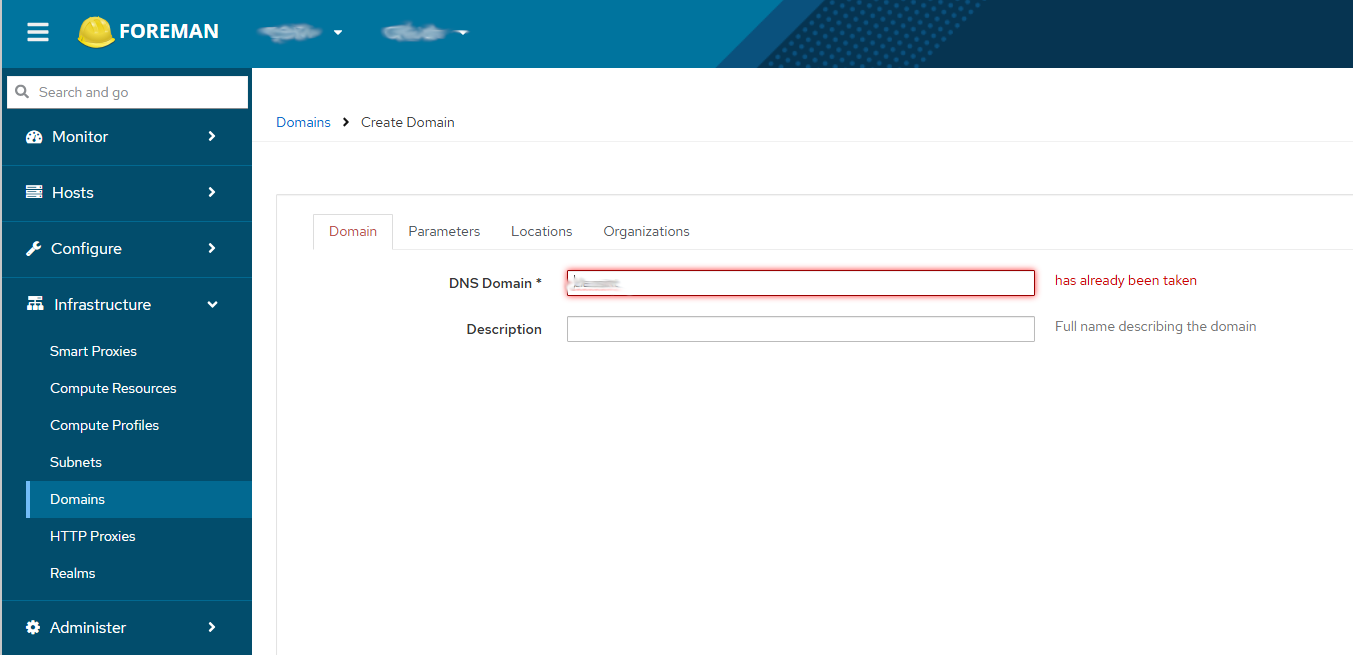
Problem:
I’m attempting to setup a Foreman platform such that I have Foreman in a “management” domain, e.g. mgmt.<siteAdomain>, then a smart proxy in the “LAN” domain which is just <siteAdomain> to provision hosts on <siteAdomain>.
When I attempt to add a DNS Domain for <siteAdomain> I get the message “has already been taken”.
I’ve also attempted to delete the automatically created mgmt.<siteAdomain> domain (created because foreman had automatically created a host for itself) in case it was just unhappy that I was adding a higher-level domain than the one it had already defined then add the domain but I get the same message, I’m able to re-add the mgmt.<siteAdomain> domain without issue though.
Expected outcome:
Higher-level domain is added in addition to existing subdomain.
Foreman and Proxy versions:
3.15
Foreman and Proxy plugin versions:
n/a
Distribution and version:
Ubuntu 22.04.5 LTS
Other relevant data:
No further information is available in the logs…
For my other site (same Foreman server) I was able to create <siteBdomain> and mgmt.<siteBdomain> without issue, I also deleted <siteBdomain> and recreated it with mgmt.<siteBdomain> already being present without issue so I’m not sure why I can’t create the <siteAdomain> record.
a.) what is your DNS server technology
b.) Where is your DNS server located - seperate machine, which lan in your examples etc (basic name server topology resolver / SOA)
c.) what does your DNS smart proxy config look like - what provider, what config
d.) what does your foreman config for the ‘subnet’ and ‘domain’ look like
doesn’t have to be lots of detail but a summary will certainly help.
I haven’t even got to the point of enabling proxy plugins yet, so there’s no interaction with anything except the database on the Foreman server.
But FWIW the DNS server will be a BIND9 server probably co-located with the smart proxy, that’s how I set it up when I labbed the basic Foreman setup (smart proxy onboard, all in the same domain/subnet) to confirm it was going to work for us.
Just had a look in the database and I can see there IS a record for <siteAdomain> but I’ve no idea why it’s not displaying in the web interface.
It’s ID is 2 so I’m assuming that the first time I created it, it did actually work (since mgmt.<siteAdomain> was automatically created and would’ve had id 1 before I deleted it and re-added it), but for some reason it’s not visible in the web UI.
So I suppose the question is, is it going to explode if I delete that record from the database
I’m really sorry, I’m struggling to grasp how this is expected to work if you don’t have any DNS infrastructure setup, and the smart proxies are not configured to control/interact with DNS - how are you managing records and the subdomain configuration you’re trying to achieve ?
I’m literally just defining the Domains and Subnets in the Infrastructure section of the web UI, I haven’t associated anything to a proxy yet (or enabled any of the proxy integrations).
There is existing DNS infrastructure which is being replaced by this setup if that’s what you’re confused about?
Defining these is not predicated on having DNS up and working, after defining the Domain I associate it to a Subnet and then associate the Subnet with the appropriate smart proxies.
Regardless, I’ve removed the record from the database (and some assorted stale records, still not quite sure how it happened to begin with), we’ll see if anything breaks when I start integrating the infrastructure services to the smart proxy.
Yeah, no, definitely not appearing under Any org/Any location.
Interestingly enough I WAS able to define that domain in the snapshotted version though (probably should’ve checked the DB before trying but, eh)…
VERY weird, the only thing that changed between that snapshot and where I was when I had the issue was replacing the SSL certs (and trying to add the domain) so maybe some weird glitch.
Might just take the L and re-do the SSL cert swap from here just to save myself potential grief later from yutzing with the database.