
Problem:
Bulk action for hosts in new UI does not have all the options from legacy UI, I can only see “delete” and “change hostgroup (this does not work as well)” in new UI. To use bulk action, I have to go to legacy UI and click “selection action” to be able to use bulk actions. Kinda weird
Expected outcome:
same bulk actions in new UI as well
Foreman and Proxy versions:
3.15,3.15
Distribution and version:
Centos stream 9
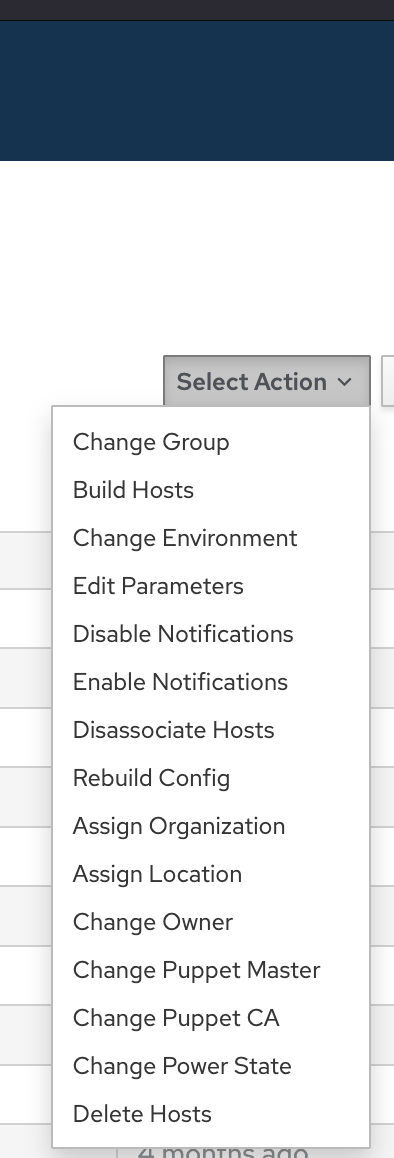
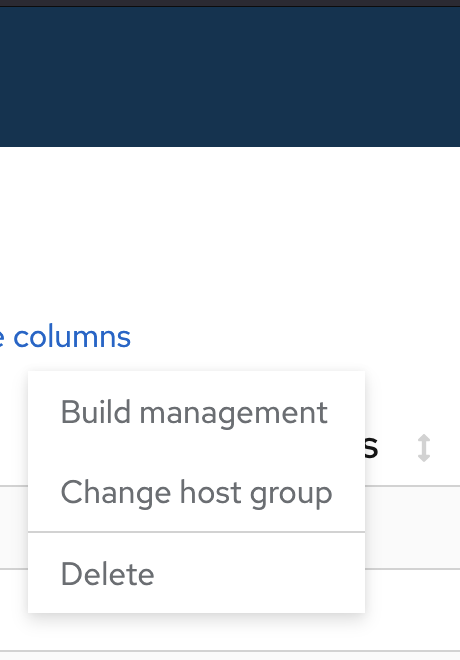
We are adding more actions with each release.
Could I ask which actions do you use via UI in host index page?
1 Like
Also note that 3.16 adds change owner, location/organization, and disassociate VMs.
Can you please provide detail about what does not work well?
the lack of functionality from the global hosts page via the 3 dots, is a little frustrating, eg: you can’t power on / off a VM from the 3 dots or open the console from the dots like you could from the legacy interface, you have to actually go into the individual host menu to take those actions. That maybe just a ‘getting used to it problem’ but initial feel, it feels harder/slower/more work
1 Like
Thanks. It’s very helpful for us to understand which actions are used more. There are several actions you could do on the old page and we tried to start by building the most-used ones, but I am sure we missed some.
1 Like

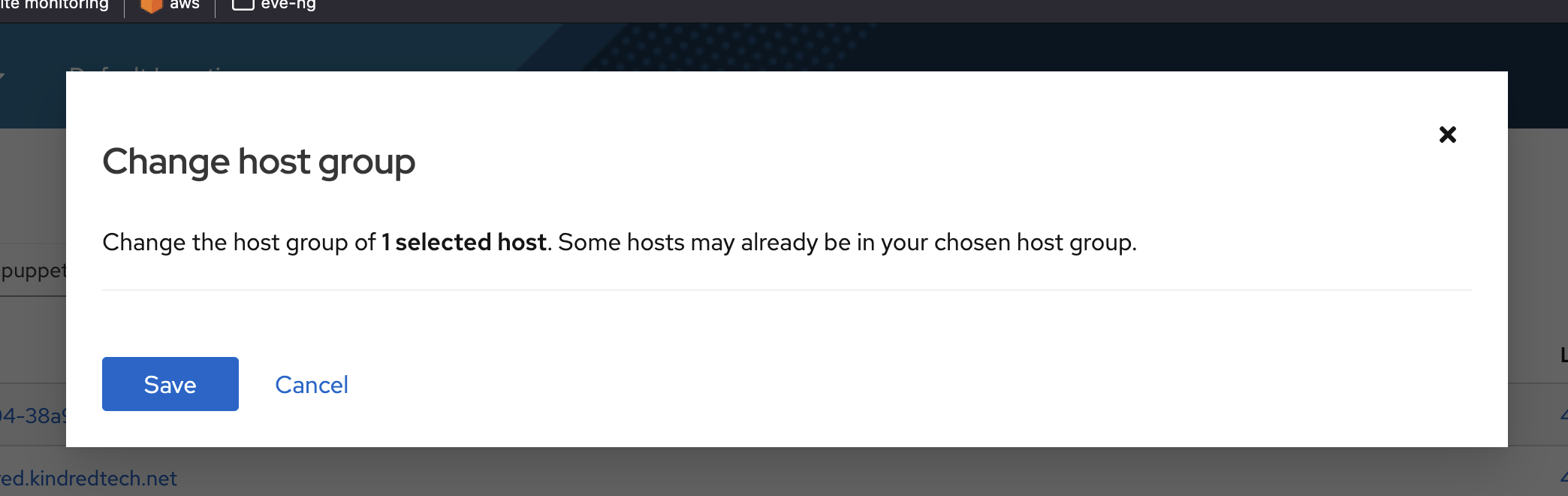
vastly puppet related stuff like, changing puppet master, update puppet CA, change hostgroup,
1 Like
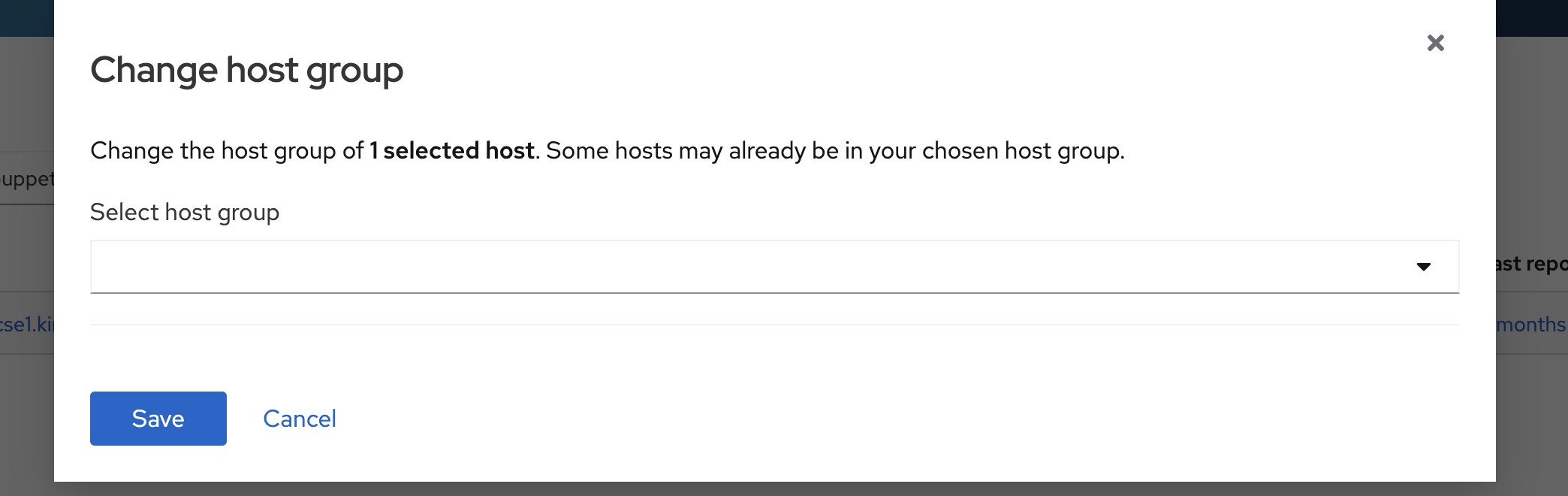
Opened 38760 for the hostgroup issue.
if this thread is being used to track initial some feedback, I’ll try to consolidate some of the discussion in the past into a central place, this is all personal feedback (and occasional feedback from others I work with who use Foreman / Katello / Satellite - but 90% me)
General overall formatting:
discussed in another thread, but using the example of the power button (issue already raised, thank you) the
Wall of Text:
Compared to the clear boarded and graphical enhanced tables, the global hosts page, just feels like a wall of text
Missing Visuals
the pretty logos showing the OS are a real value add at a glance when dealing with multi-platform hosts in foreman
The puppet red/yellow/green indicator to show the status of the puppet run / compliance of the hosts is a real loss of value, and I know customers will also complain as they use this to demonstrate continuous compliance internally and to auditors
Missing Functionality:
There is no way to see the status of a puppet run on the global host page any more (linked to the red/yellow/green point above) not only have the visuals gone but there is no way to see if the host is in sync or not, which in a environment of say 100+ hosts not being able to see success/failure patterns at a glance is crippling. You can see the last run, and boot time, but you have no idea unless you click on a host if that run was successful, and no way to order/filer by status.
The old edit button or the ‘select action’ button used to give some key options
power on / power off
execute task (normally a puppet run)
open console
These where essential day to day operational tasks, that both individual and bulk / batch where essential to efficiency, envs with 100+ nodes (up to 15k) need the ability to bluk power down, bulk power on, bulk execute a task, and quickly get to a console to validate something (coupled with the need to know are puppet runs succeeding)
Value add features like change a host group quickly where very useful, especially on batch
Those feel like enough ‘big’ issue feedback tickets that if they are accepted would really make a difference to the global host page that is the shop window, or ‘controller’ for a lot of orgs
4 Likes
Hi all,
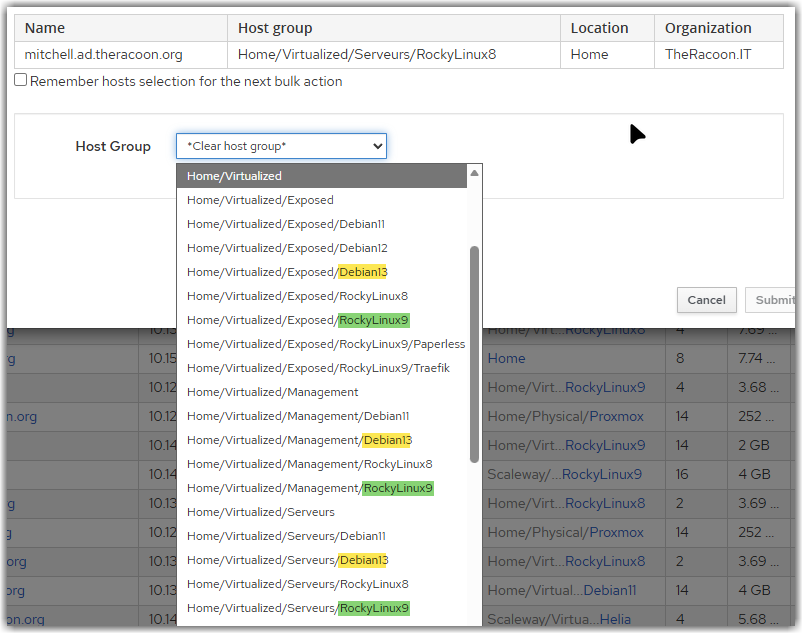
I may add that the new “Change association / Host group” list has a huge regression as it only show the last level of the hostgroup name.
When you heavily rely on hostgroups to organize your hosts and take benefits from settings inheritance, that’s not really usable.
For example, I have a first level for the smartproxy/location, one for physical/virtual hosts and one for the OS. I may have sometime other sub-levels to group hosts by purpose. Each level come with its set of parameters, OS configuration, Ansible roles, etc…
With the old dialog, the whole name of the host groups was clearly presented:
Unfortunately, the new UI is way less usable:
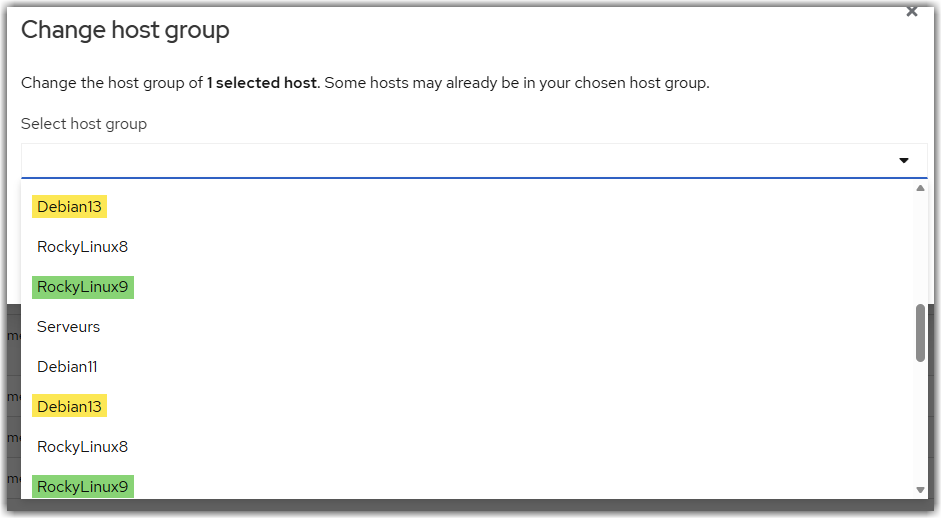
It is not be possible to clearly identify the right hostgroup easily and may lead to errors as the host may not inherit the right network configuration/parameters/activation keys/…
Also, as @ikonia already pointed, logos for different OS distribution were very usefull when dealing with multiple OSes (RedHat, Fedora, RockyLinux, OracleLinux, Debian, Ubuntu, …) to spot them quickly.
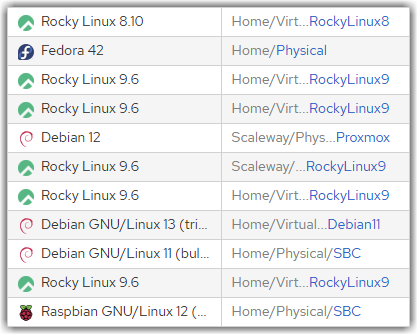
And the status of recent jobs results/configuration compliance was also a way to quickly identify hosts with issues, being stale or needing reboot/restarts:
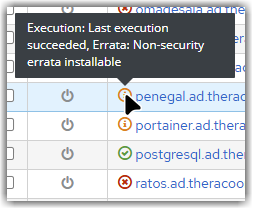
Also, I noticed that the power status of the hosts has a timeout that is suitable at all to get a correct status:

3 seconds is way too short !
I’m using the FOG Proxmox plugin on local network and it rarely show the real status (one VM, sometime). I didn’t find any way to increase this timeout by the way.
Hope it’ll help figure out what users are really doing with their instance(s) and enhance the overall experience 
Feel free to ask for more detailed use cases if needed !
Nicolas.
1 Like
Thanks for highlighting this! I opened this issue to track it.
Do you also see this timeout message on the new UI?
There is a PR open to update the Puppet CA:
The Puppet master DB relationship lives in Foreman itself (it should really be moved to foreman_puppet) and I don’t see any PR for that.
Hi Jeremy,
On my production environment (Foreman 3.15 w/Katello) with 576 hostgroups, it take a little more than 2’12" (132 seconds) to show the list for the new UI while it is instantly loaded using the legacy UI. That’s a huge wait time 
My test environment (Foreman 3.16 w/Katello) has only 39 hostgroups so it load instantly for the new UI. But that’s not really a good comparison point as it is way lighter to load.
If I find some time to upgrade my production environment to 3.16, I’ll be able to get some metrics for you to check if it is still noticeable on the latest version.
1 Like
We got also the feedback, that the OS icons on the host overview page would be helpful.
Another idea:
Currently, it’s only possible to select certain fields in “Select columns” on the host overview page. It would be pretty cool, to select any column of the host details page to show it as a column on the host overview page.
2 Likes
How would this work? What do you mean by column of the host detail page? The host detail page has cards and tabs.
I got a similar issue for searches as well, when we don’t wait for auto suggestion to complete and give us results, it throws a “Error: Request failed with status code 500”. but if we wait for suggestions then its all good.
One more thing is that, if I search for "puppetclass = " and wait for suggestions, it instantly gives me “Error:, ,Request failed with status code 500” but if I search for exact class name, its all good.
This seems like a possible bug with foreman_puppet. Does the error happen on other search terms as well? I just tried “activation_key_id =” and didn’t get an error.
not sure if reported somewhere else but for me the search is also behaving a bit odd.
I search for “not has host_collection” and it shows me results over three pages. The arrows > to navigate on the top of the new host page work as intended.
But the navigation at the bottom of the page first seems to work and switches to page 2 but then resets the search and expands to all hosts and thus the total pages increase. Doesnt make a difference between > or >>
Running on 3.16.