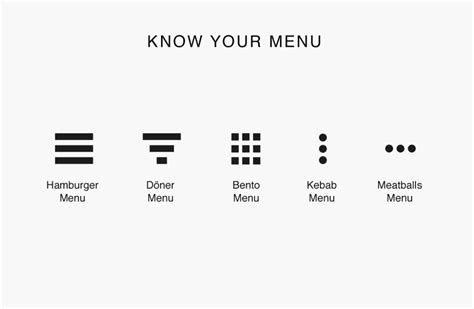
How to refer to kebab menus?

Question

How to refer to kebab menus for modules that document procedures in the Web UI?

Context


source: Pinterest

Example

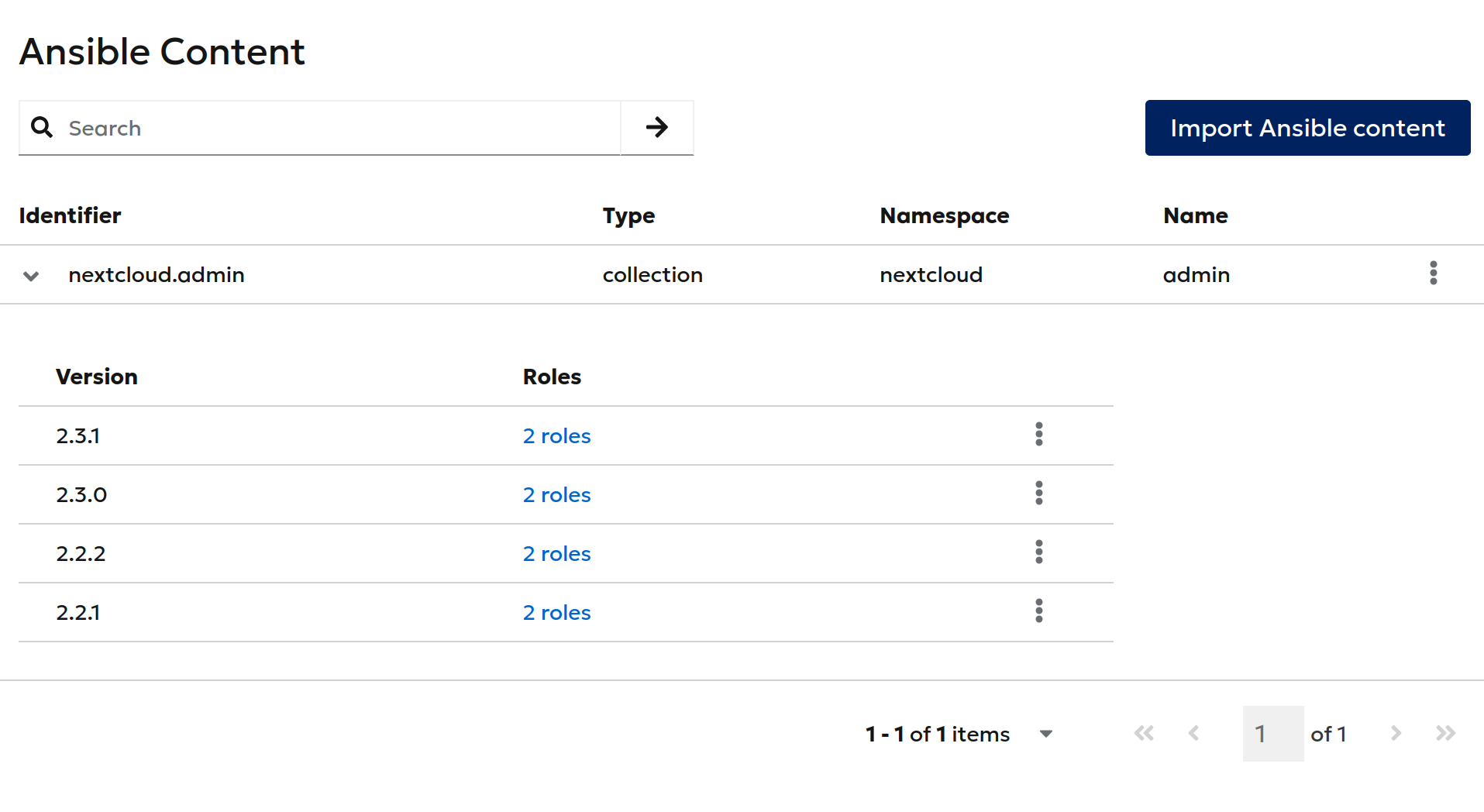
I am working on docs for the Ansible Director plugin. It has pages that look like this:

This post is mainly to share the image because I cannot view/share images via Matrix client, but if someone has a good idea how to refer to those menus in the Web UI, please let me know.

Cheers and bon appétit.

From my experience way too many people do not know the different menu types or can name them correctly, so just calling it kebab menu will not work.

Naming it the three dots next to something will perhaps work better, but using something like this hurts something inside me as a trainer and it professional. :wink:

So my suggestions would be “kebab menu (⋮)” as we have unicode U+22EE ⋮ VERTICAL ELLIPSIS for this. Another open would be of course using U+205D ⁝ TRICOLON if we want less spacing “kebab menu (⁝)”, but I personally prefer the spacing. Or we could use the actual patternfly icon, but I believe this is not very handy.

1 Like

Thanks Dirk!

just calling it kebab menu will not work

Yes, this was never an option. I did a user survey of 1 (one) user, and it turns out it only causes hunger and confusion. See Matrix chat :wink:

three dots

I agree, also not an option.

unicode

Using icons: technically possible but we do not do this yet. I like the idea, but I’m unsure if there are other issues that could come from this.

Right now, I’m going with “options menu” as suggested by Anet in Matrix.

2 Likes

In downstream, we call it the “options menu” to align with the IBM Style Guide.

How to navigate multiple kebab menus on a single page?

When there are two different kebab menus with different items, it’s unclear to which one I’m referring.

I don’t know either. IMO this is an issues with Foreman Web UI:

Colloquially, I call them the “main kebab (in the upper right),” the “table row kebab,” and, uh, the “kebab”. Yeah, it’s hard..

When talking with other users/the colleagues, it mostly ends up at “the 3 dots”,
and then on the upper right, in the search bar (though it takes work to make them notice this one at all), and finally the one in the item entry on the far right.