Problem: I’m experiencing essentially the same problem as this previous topic, with the following differences:
Last check-in time for the host in question (Rocky 10.1) appears to be nice and recent—on the order of 10 minutes ago—but even though the host has bugfix updates available (as evinced by both dnf update and checking cockpit on the host) and the Foreman instance’s copies of the Rocky repos are up-to-date:
applicability check tasks finish in 0 secs when generated
The host’s status in Foreman stays green in the host list
The host’s entry in Foreman shows as not having been updated in 7 days (since rhsmcertd was started as detailed over here and the tracer package was properly installed), even after running the “Upload package profile for a host” job template much more recently than that
I checked the database, and triggers are present (select * from information_schema.triggers; returns a list of them), and the evr column is definitely being populated for both the katello_rpms and katello_installed_packages tables.
Expected outcome: Hosts automatically report back to Foreman in a timely manner, and Foreman/Katello UI reflects that there are applicable updates for a given host when that condition is true.
The goal of this plugin is to unify the way of showing task statuses across the Foreman instance. It defines Task model for keeping the information about the tasks and Lock for assigning the tasks to resources. The locking allows dealing with preventing multiple colliding tasks to be run on the same resource. It also optionally provides Dynflow infrastructure for using it for managing the tasks.
To debug this, please pick one erratum that is not being reported by Katello that we can focus on. I’ll refer to this from here on out.
Step 1:
The erratum has a number of packages associated with it. Can you verify in the host’s package UI page (Host → Content tab) that you can see a package associate with the erratum that has a lower version than what is listed in the erratum?
I’m trying to tell here if Katello has picked up the package in the package profile.
If you locate the package, is it correctly marked as needing an update?
Step 2:
Open up foreman-rake console and try the following:
bound_repos = Host.find_by(name: "FQDN of your host missing updates").content_facet.bound_repositories.pluck(:relative_path)
These are the repositories that your host is consuming from. Do they make sense? They are the basis for the applicability calculations.
If those make sense, then check these:
bound_library_repos = Host.find_by(name: "FQDN of your host missing updates").content_facet.bound_repositories.collect { |repo| repo.library_instance? ? repo : repo.library_instance }
This will show the library versions of the repositories, assuming you are using content views. The library versions of the repositories are what applicable updates are directly calculated from. The previous repositories you found are related to installability, which is a secondary attribute to applicability.
If either of these repositories don’t make sense, we’ll need to figure out why, but at least it would explain the missing applicability information.
Step 3:
We’ll need to dig deeper into the applicability logic. I’ll wait to see the results of step 1 first.
Thanks for your quick reply. While I was working on picking an example for your steps, I uncovered a slightly different form of non-desired state… (sorry in advance for the long message!)
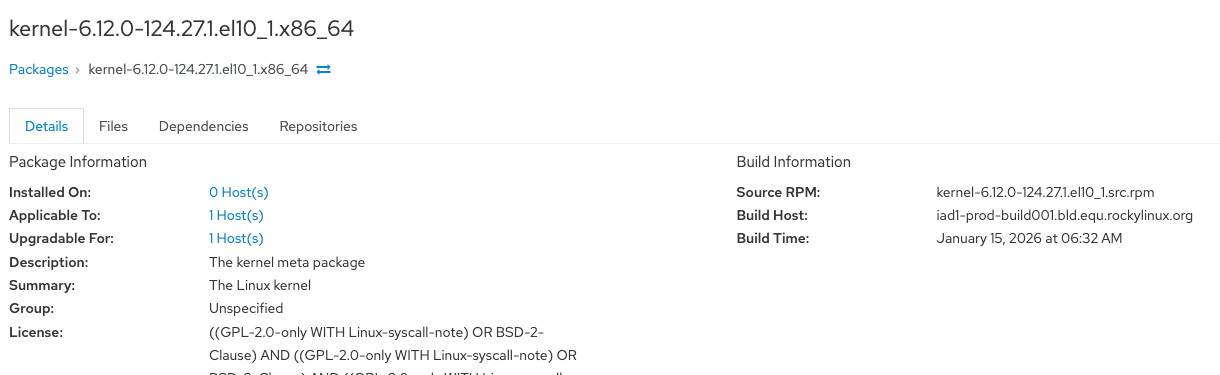
One package I had in mind was the update to kernel-0:6.12.0-124.27.1.el10_1.x86_64. This shows as available for update when I run dnf update on my Rocky host (the installed kernel being slightly older), and it is clearly coming from the repo that Foreman has made available for it. Rocky’s online errata site has an entry (RLSA-2026:0453) including the updated package. Heck, Foreman even has a record for the package itself:
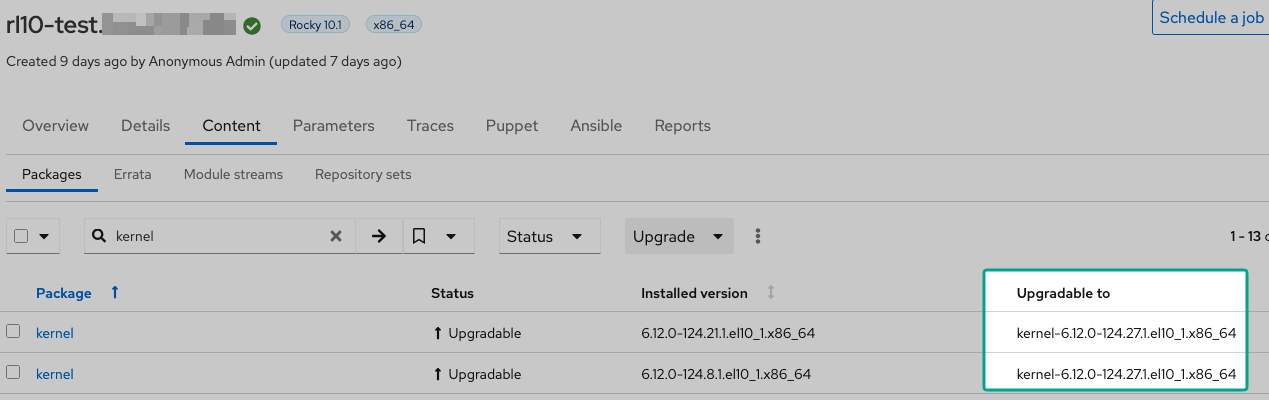
and shows applicability in the package details and under the host entry > Content tab > Packages subtab (i.e. it recognizes the older package on the host and that there is a newer version available):
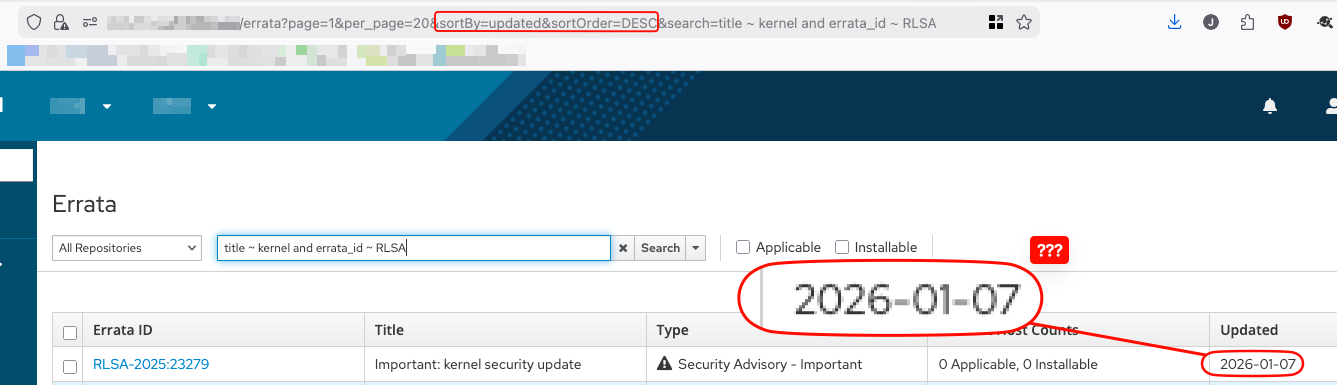
But even though I’ve made sure Foreman has synced all Rocky 10 repos recently, the erratum simply doesn’t show up on the list of errata in Foreman:. (Erratum shows as being issued 1/17/2026 on Rocky’s site, but despite syncing the repos as recently as this morning, the most recent errata result for the search title ~ kernel and errata_id ~ RLSA in Foreman is 1/07/2026)
With that in mind, I think we have two ways to proceed here:
Go off on the tangent (of sorts) of figuring out why why that erratum isn’t even showing up in Katello in the first place despite the relevant package being available, then get back to following your debug steps with the same environment as I originally specified in my first post;
Or, I think I can get a better starting situation with a slightly different environment and put the above sub-issue aside for now. Namely, I have an AlmaLinux 10.1 host that is not currently enrolled in Foreman, but (a) has the exact equivalent new package available and synced to Foreman (b) there is an erratum entry for it on Alma’s site (ALSA-2026:0453) and (c) Foreman does already have an erratum entry for it after syncing the repo. By enrolling this host into Foreman without updating any packages, I should be able to create more ideal conditions under which we can go through your debug steps.
What are your thoughts? I slightly prefer #2 since it seems most likely to create the preconditions for fruitful debugging, but I didn’t want to suddenly switch up the environment out from under you without having asked first. [1]
Though who knows, maybe Rocky is just doing something different with the way they make errata available to Foreman, and simply already having an erratum entry at hand for Alma will magically result in my original problem being solved for Alma hosts. ¯\_(ツ)_/¯ ↩︎
I can’t dig them up right this moment, but I have dealt with Rocky issues in the past with errata not being published in the way we usually expect. That might not be the case here, but wanted to mention it anyway. I think it might’ve had to do with the erratum being in one of BaseOS or AppStream, but the RPMs were in the other repository?
Anyway, I’m happy to go down the route of option 2. I agree that the missing erratum situation makes the issue more complicated.
We can help figure out the Rocky erratum situation too after seeing how Alma is doing.
So it looks like everything is in order with Alma: recent errata come in with repo syncs, and when I enrolled a test Alma host, made sure to start rhsmcertd, then installed katello-host-tools-tracer, Foreman/Katello correctly reported errata as applicable to the host (with the host status changing to red and everything) and allowed me to go through the install errata → resolve traces → wait a few minutes for the host to turn green workflow that I’m used to with Satellite and RHEL
That aside, since my employer is currently distro-agnostic for future servers at the moment + compatibility is occasionally better for Rocky on some tools of interest vs Alma, I’m interested in working the Rocky erratum situation. Hopefully this would benefit other folks interested in using Rocky with Katello as well
For Alma Rocky, the first step should be to map out the content. Which repository (or repositories?) is the erratum in? Which repository (repositories?) are related packages in?
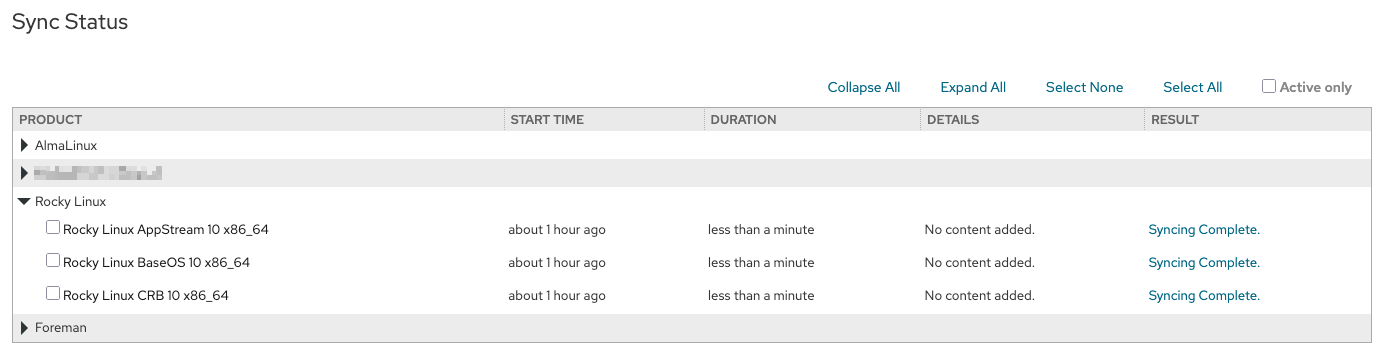
So for Rocky—which I think is what you meant in your second paragraph, but I might be wrong)—as of today it looks like it just took them some time to put the erratum into their public repos. I didn’t get back to work until today (we had closed yesterday for weather reasons) but when I manually ran sync on Rocky repos this morning, the changes included errata:
One quick check in Content > Content Types > Errata later, indeed, the RLSA I’d been looking at earlier is now present and properly shows as installable on the test Rocky host!
After some spelunking in Rocky repos, I found the RLSA in their BaseOS updateinfo file, starting at line 2270 of the unzipped file:
Clipped sections of updateinfo
 <update from="releng@rockylinux.org" status="final" type="security" version="2">
    <id>RLSA-2026:0453</id>
    <title>Important: kernel security update</title>
    <issued date="2026-01-17 09:07:37" />
    <updated date="2026-01-23 09:10:17" />
    <rights>Copyright 2026 Rocky Enterprise Software Foundation</rights>
    <release>Rocky Linux 10.1</release>
    <pushcount>1</pushcount>
    <severity>Important</severity>
    <summary>An update is available for kernel.
This update affects Rocky Linux 10.
A Common Vulnerability Scoring System (CVSS) base score, which gives a detailed severity rating, is available for each vulnerability from the CVE list</summary>
    <description>The kernel packages contain the Linux kernel, the core of any Linux operating system.
    <!-- clip -->
For more details about the security issue(s), including the impact, a CVSS score, acknowledgments, and other related information, refer to the CVE page(s) listed in the References section.</description>
    <solution />
    <references>
      <!-- clip -->
      <reference href="https://errata.rockylinux.org/RLSA-2026:0453" id="RLSA-2026:0453" type="self" title="RLSA-2026:0453" />
    </references>
    <pkglist>
      <collection short="none-baseos-rpms">
        <name>none-baseos-rpms</name>
        <package name="kernel-debuginfo-common-x86_64" arch="x86_64" epoch="0" version="6.12.0" release="124.27.1.el10_1" src="kernel-6.12.0-124.27.1.el10_1.src.rpm">
<!-- clip -->
The <updated> chunk matches the timestamp in Foreman. So although I don’t have a time machine to go back and confirm that this RLSA wasn’t present in the BaseOS updateinfo on the 17th, based on how reliably Foreman pulled in Alma’s equivalent on time, as well as the fact that Foreman did handle the RLSA properly once it was clearly present in the upstream repo, I’m inclined to chalk this up to whatever process generates that updateinfo taking its sweet time. What do you think?