I’m excited to announce the release of the new Job Invocation Detail page! The primary goal of this redesign (built in React) was to enhance user experience and improve usability. It retains all the core functionality while allowing for quicker bug fixes, easier maintenance, and simpler feature development. For a smooth transition, we’ve kept the option to switch back to the legacy UI.
I presented this on the Foreman Community Demo, so if you prefer to listen instead of reading, watch it on YouTube here.
Redesigned Job Overview
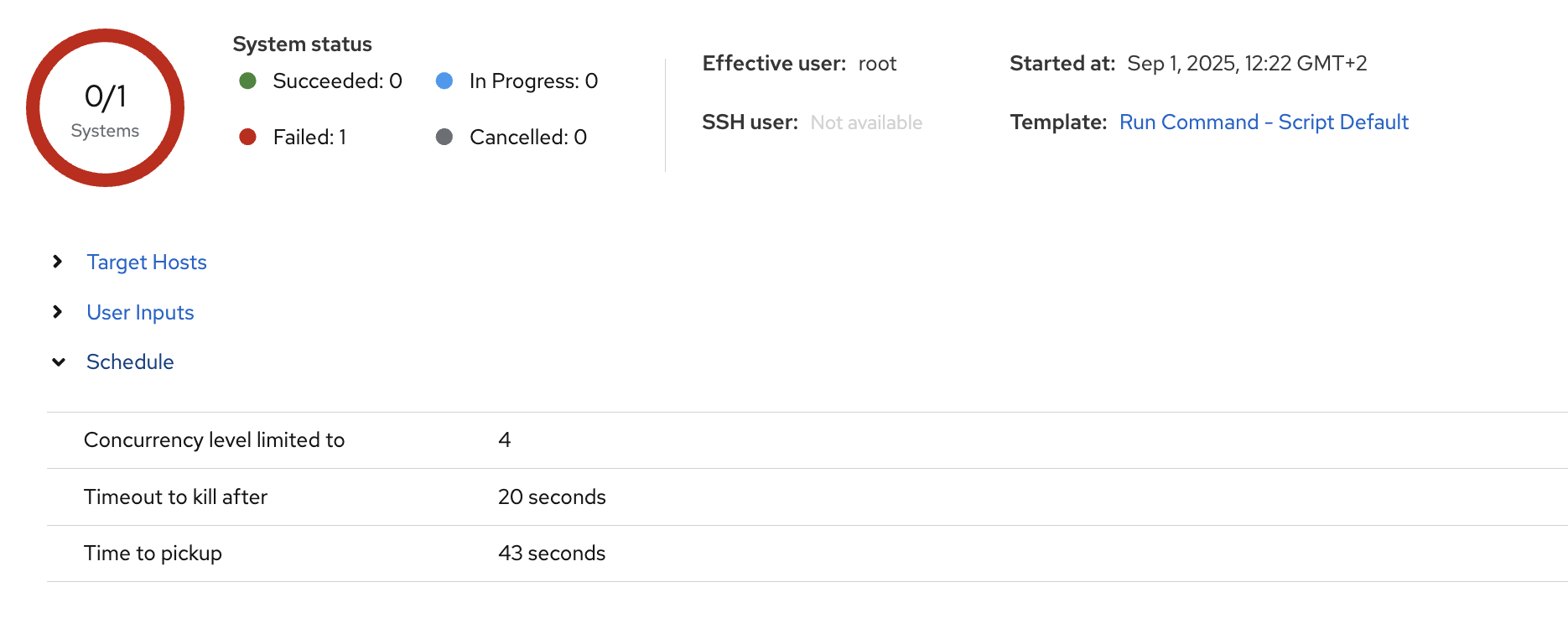
The top of the page features a comprehensive job overview. You’ll find key information at a glance, and it also includes expandable sections for Scheduling, Recurring logic, Targeting Hosts, and User Inputs.
Interactive Host Table
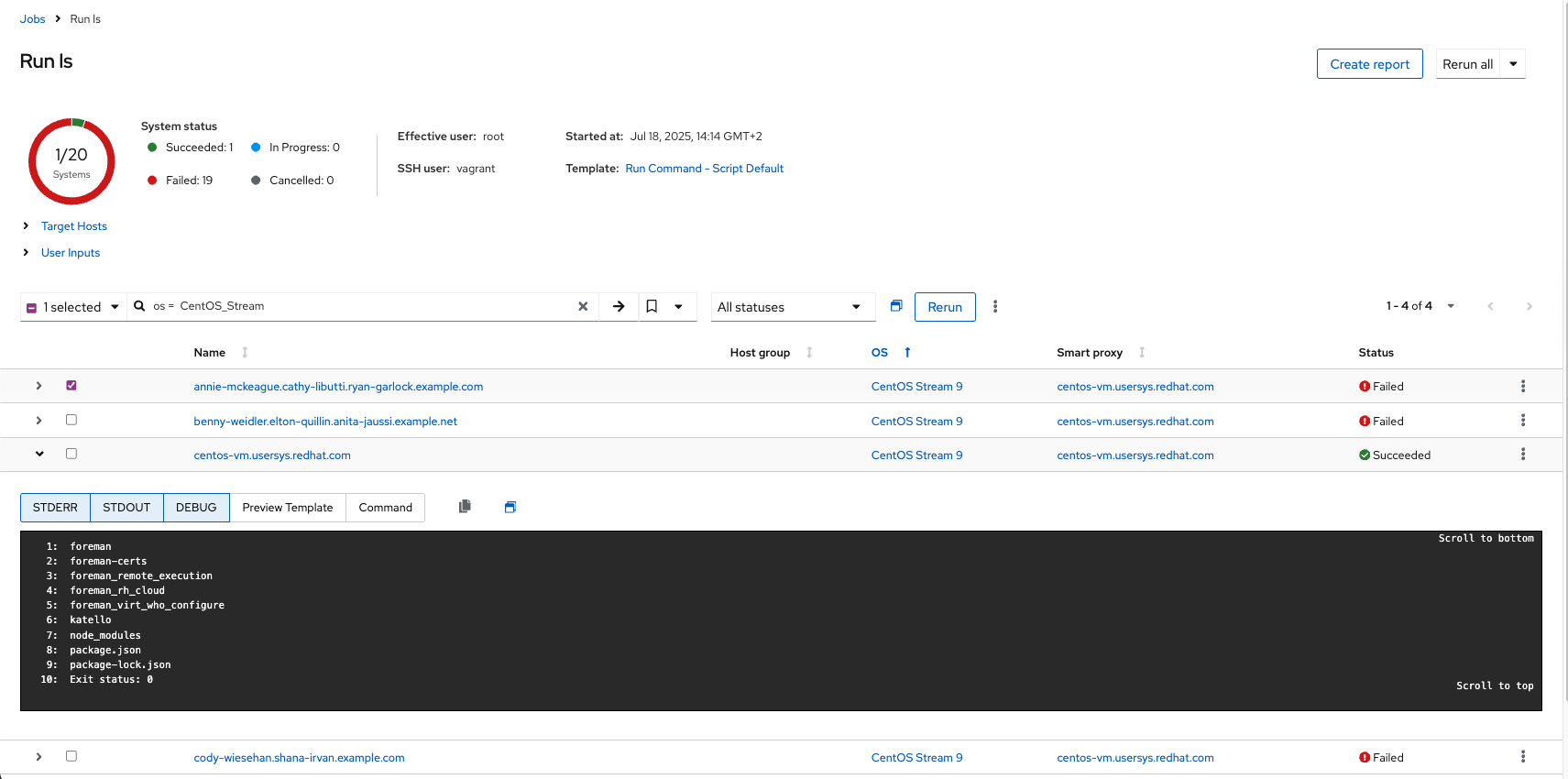
The page’s main feature is an expandable host list, showing job statuses at a glance. Clicking a row reveals detailed information previously hidden on other pages, including the template preview and the full output. There is also an added ability to sort your hosts.
Other Enhanced Functionality
Targeted Actions: You can now rerun, abort, or cancel jobs on selected hosts.
Opening (selected) runs in separate tabs: this will open a plain text version of the output, making it easy to copy. There is also an option to open only the failed runs.
Please let me know if I missed something worth mentioning here.
We Want Your Feedback
What are your thoughts overall? Is there anything you feel is missing or could be improved? Have you encountered any bugs or issues?
Thank you in advance.
Got really excited when I first saw the new job invocation detail page appear in the demo at devconf this year! (after giving feedback to the mockups over time)
Seeing it right now in the life system, it’s awesome!
I’m close to just say, thanks it’s perfect
Only thing I can say is, everyone needs to be careful with the “open in seperate page” button, I successfully crashed my whole Rocky 10 system (Firefox) just now by opening 12 tabs with it. Couldn’t handle the amount of Javascript execution.
@singularity001 there is a copy to clipboard button now, that’s without the numbers
This new view is much more modern clean and easy to use : no need to go back and forth between host execution page, job summary, template prview… everything is on the same page with a clean presentation !
I use a lot the Ansible module and launch a bunch of jobs on my hosts with Remote EXecution and this view add a whole new experience.
I had to “hack” the Ansible configuration to forcefully re-enable the color output that disapeared after one upgrade of Foreman a long time ago, but everything works smoothly in the actual “legacy” template_invocation view :
(that’s way more easier to spot changed/skipped/warning/errors in long plays with colors )
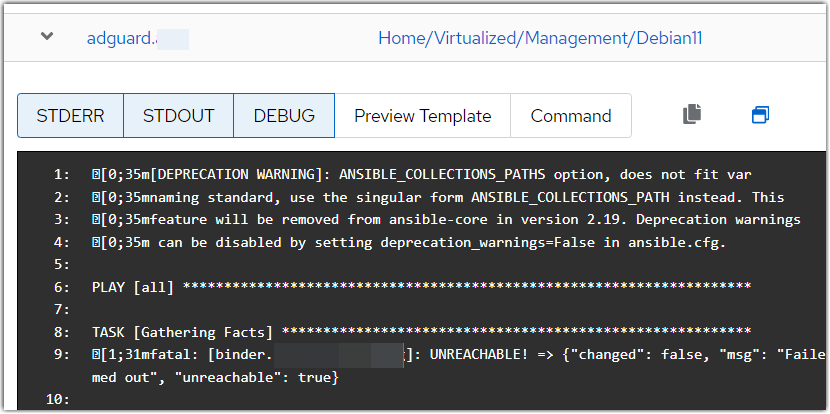
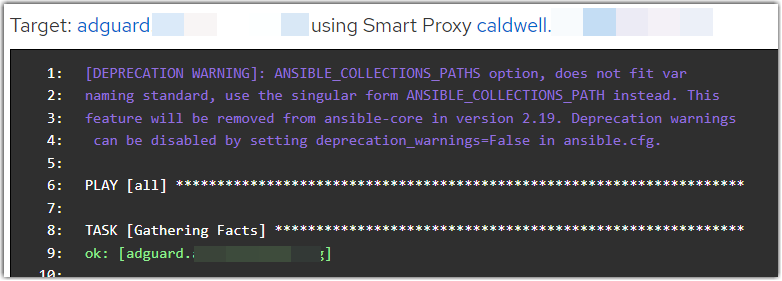
Unfortunatelly in the new UI, escapes sequences (e[0;35m & co) are not parsed anymore and are shown in the output without coloring (or at least being striped out):
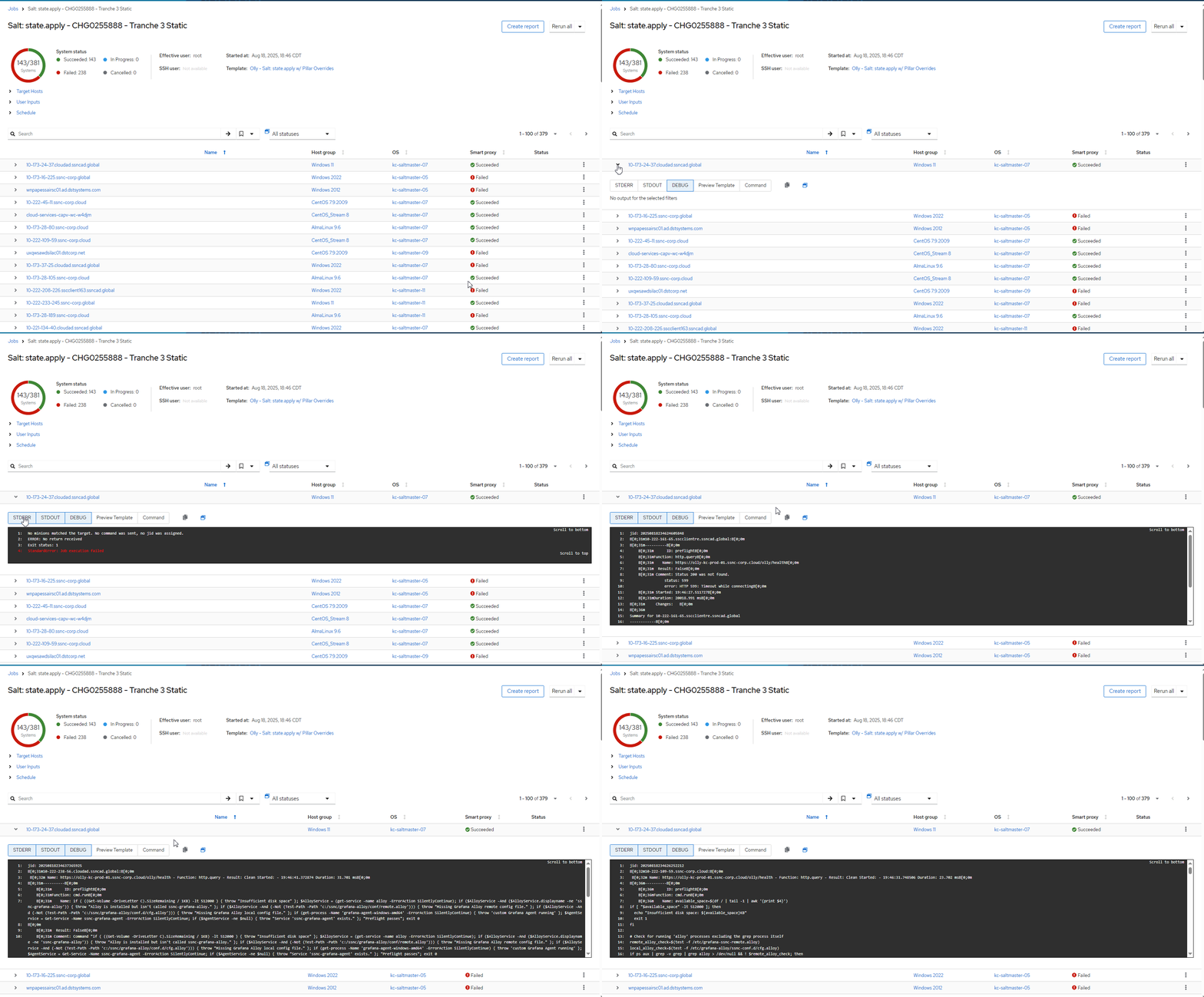
The worst issue I had right now is that the output seems to reload continuously the log and all the outputs blocks for each hosts are constantly updated with each hosts output logs in a loop.
The screenshot above show this issue as at the moment I took it, the host’s output is from another one … (both screenshots are for the same host in the same job)
A still image unfortunately does not show the loop and flickering generated by the constant reloading
I saw this the first time on Foreman 3.14 but then updated to 3.15 and it is still present.
Hope it will be fixed before the legacy view is set as an “option” or removed
Hmm yes and no, the option to open on separate tabs is great, and absolutely what I would vote for.
Would it be possible to wait with the expensive Javascript loads until the page is in view, like streaming websites do it with the videos?
But being able to bulk expand is surely also a not so bad option, scrolling might just get a hassle.
I was wondering if that separate page needs JS at all or if we could display it plain text: only the job output. Perhaps at least render the colors on the server side.
I’m running F3.16 + K4.18RC2 since yesterday again on the main system,
and can’t seem to reproduce the glitching behavior (anymore?), @singularity001, @GrinGrin you might want to try again too



 )
)