
Hi everyone,
we have been looking at Repository Discovery (Content → Products → Repo Discovery) and we want your feedback.
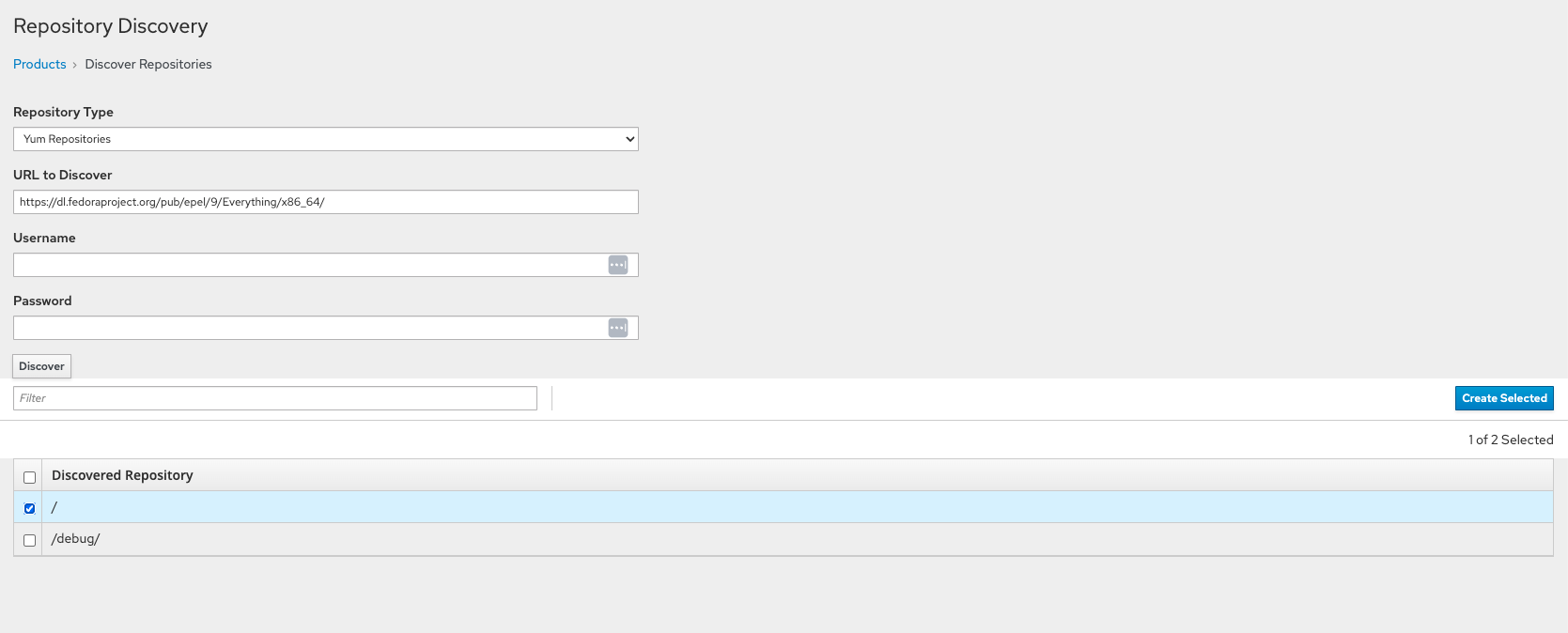
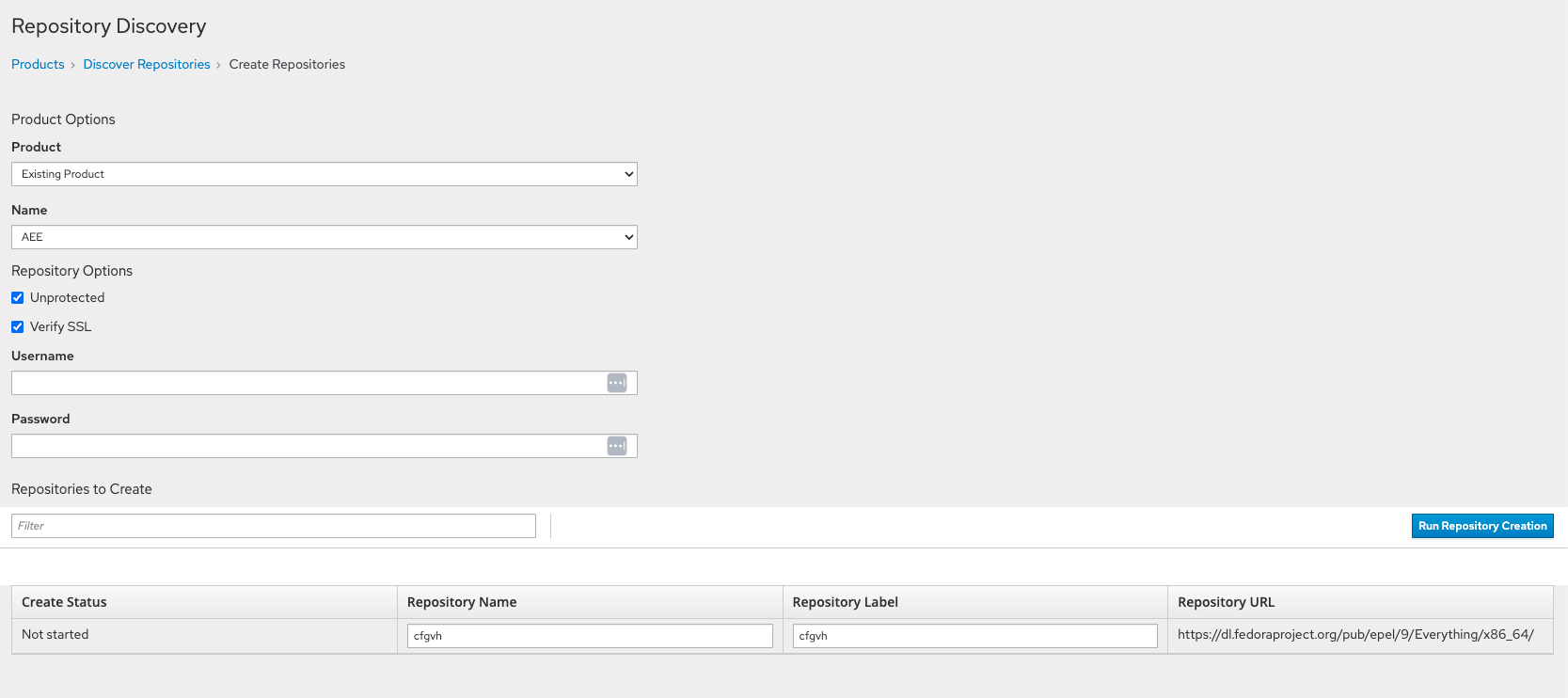
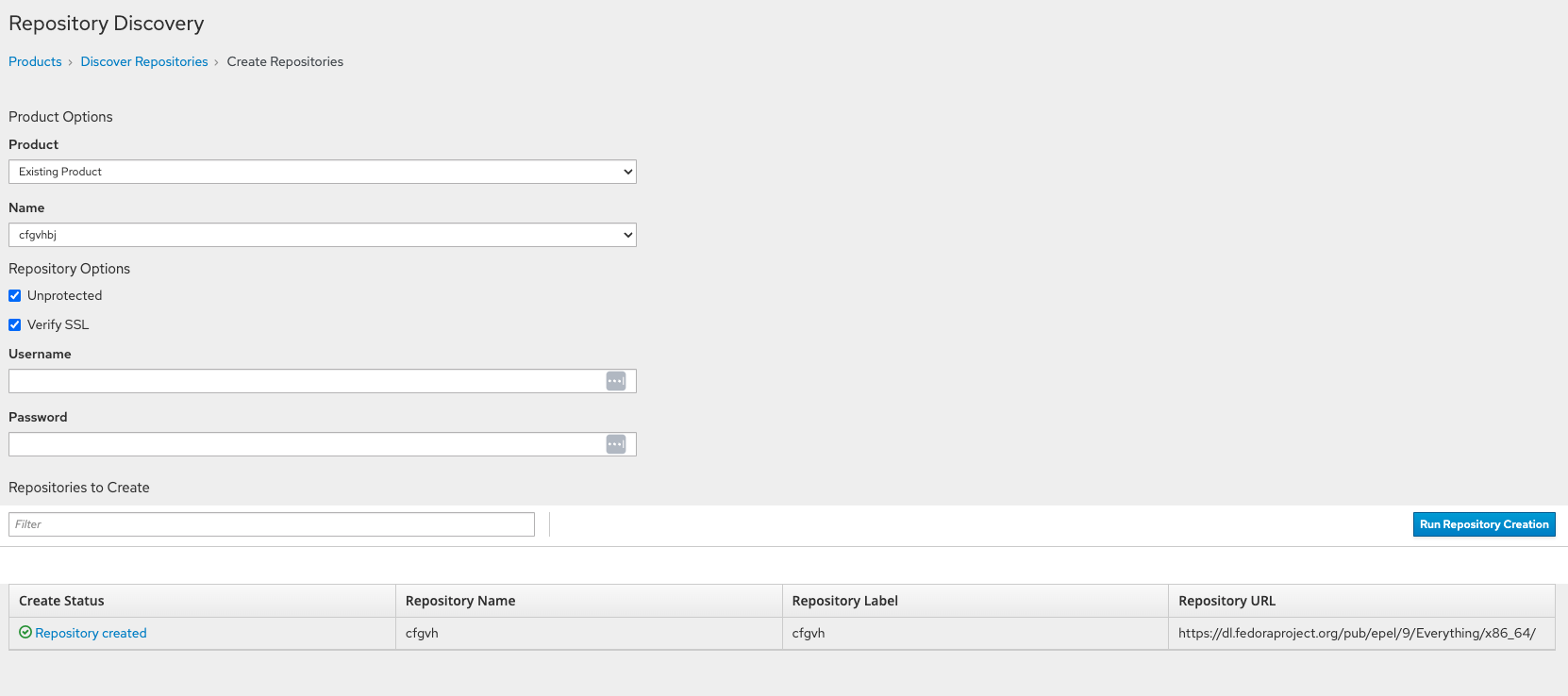
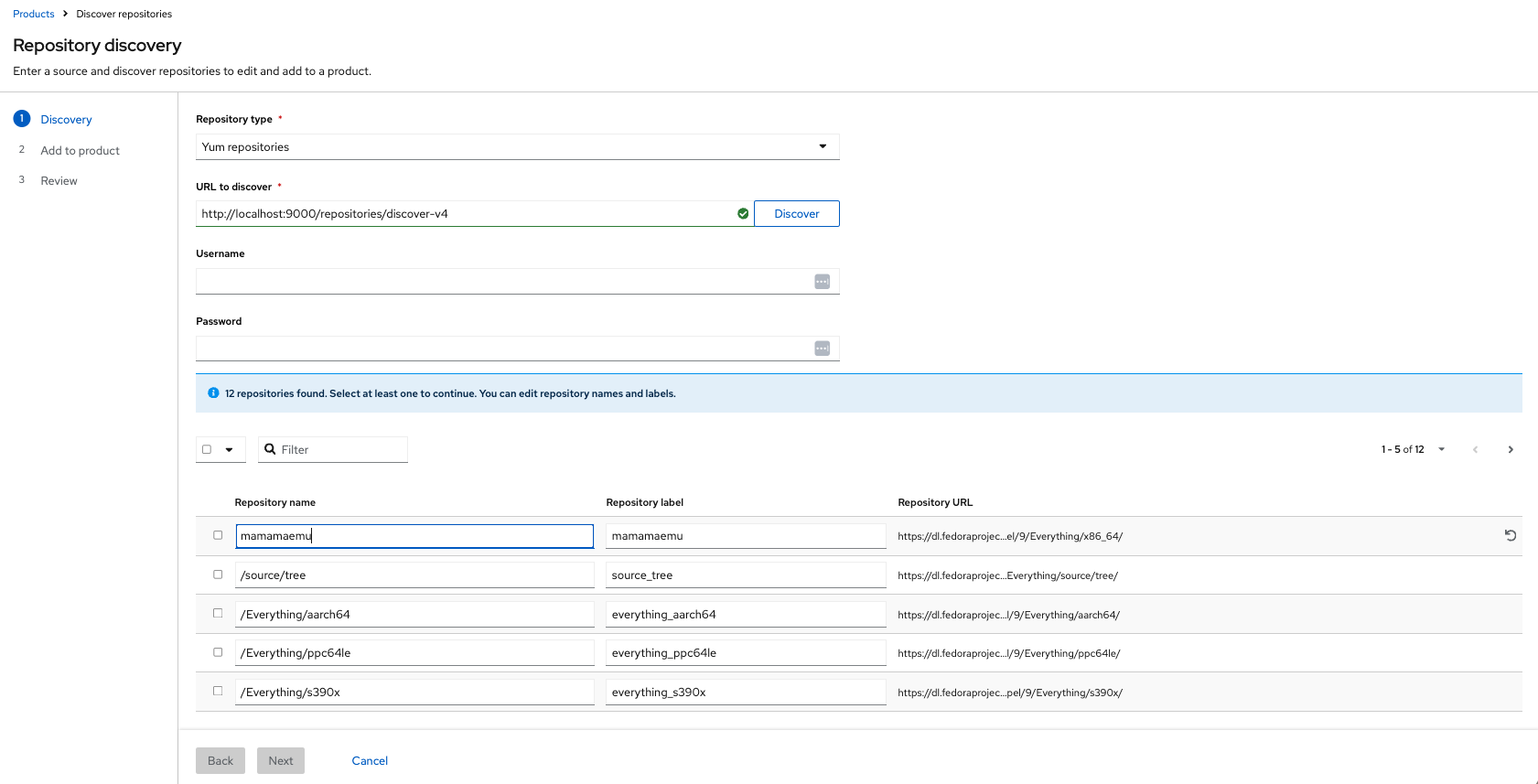
Today, discovery is split across 2 pages, and some information shows up more than once such as
authentication and repository table that appears when you select repos, then again in the second step where you can edit selected. Also terminology is mixed up (Create/Discover/Add).
Current implementation
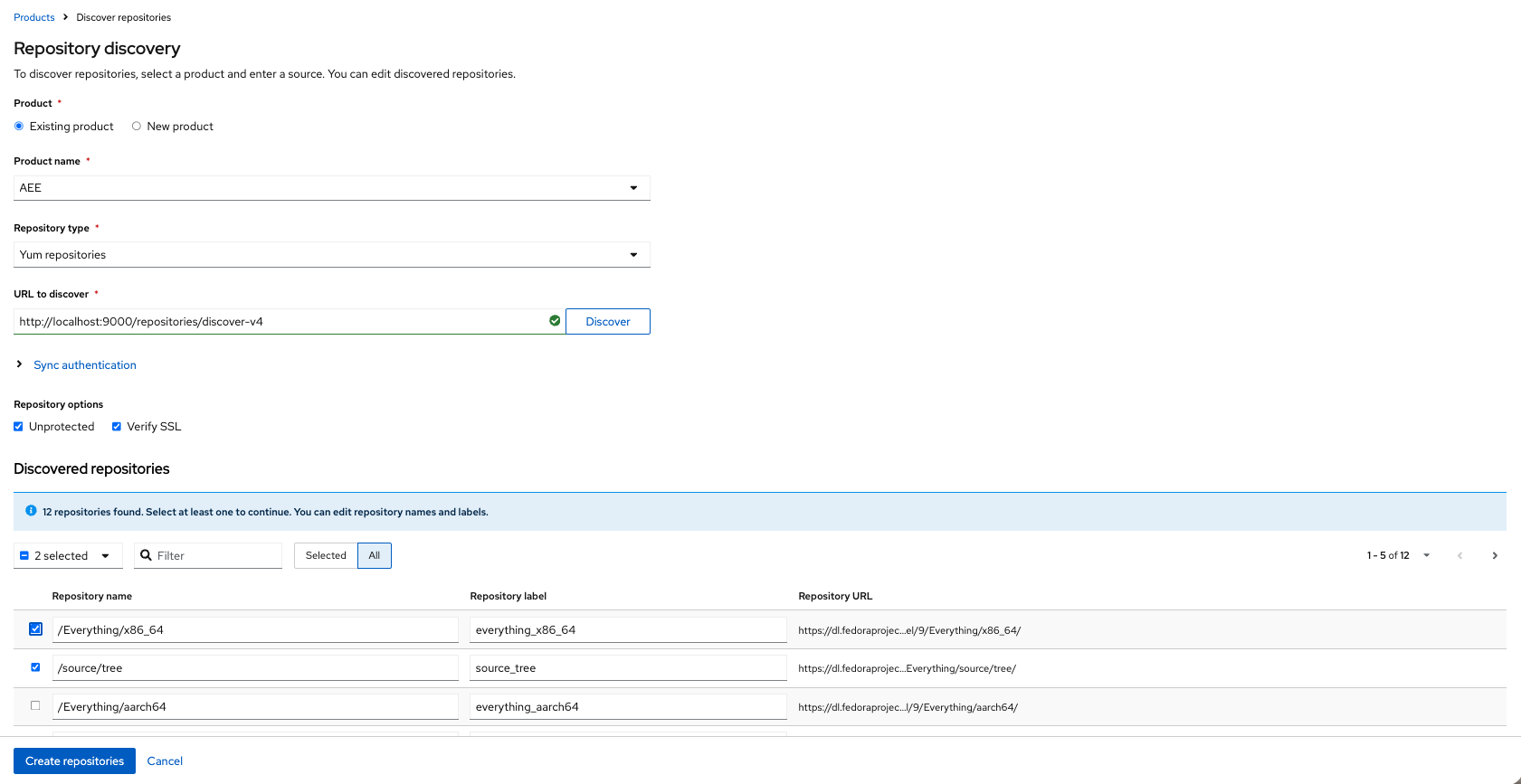
What are we changing:
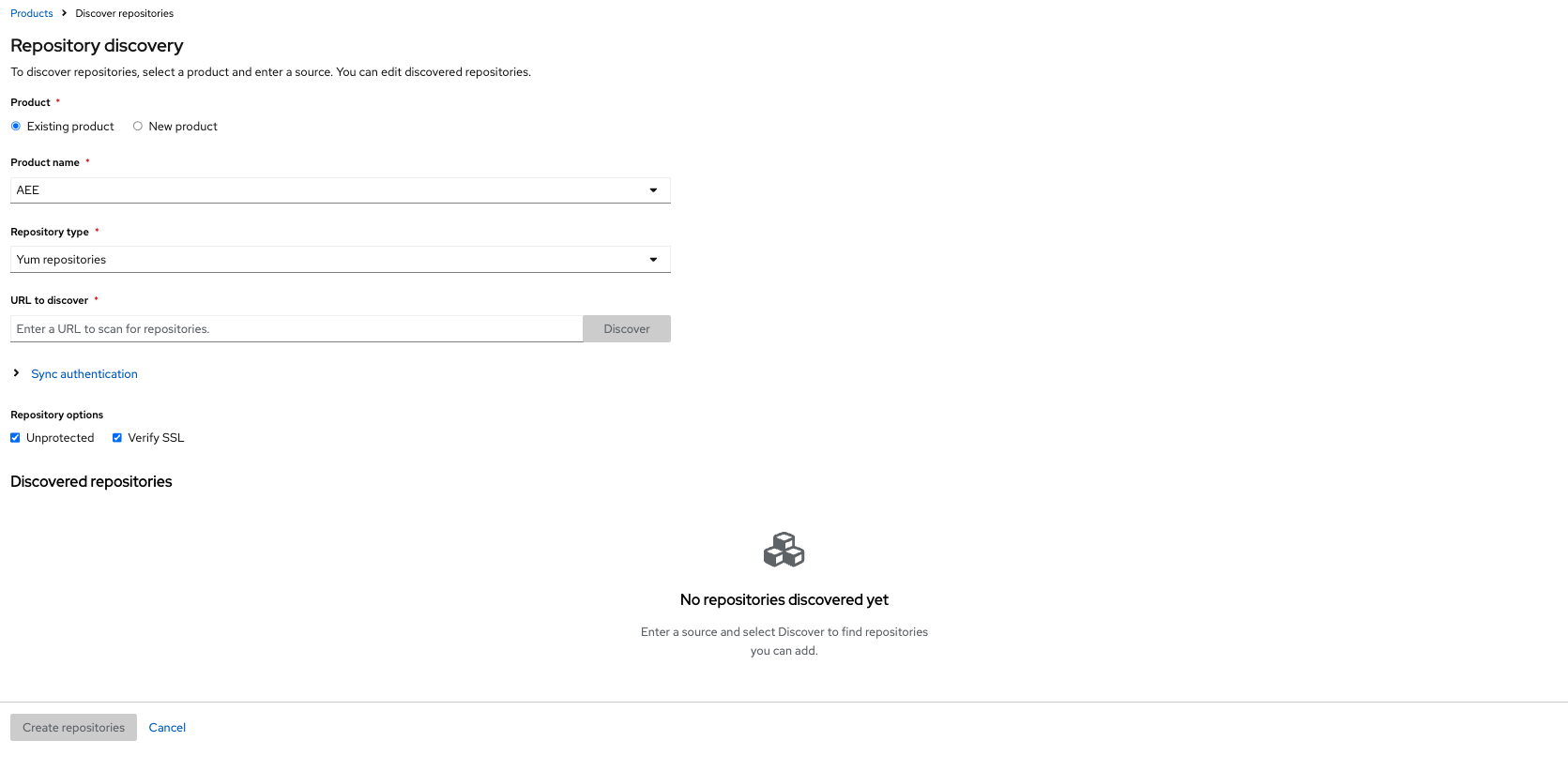
Sync authentication (username and password) is entered once, and collapsed by default for yum repos.
For yum this is usually optional at discovery time. May differ for images.
One repository table, editable immediately, with optionally reset values.
Discovered repos show in a single table. Name and label are editable as soon as results appear. Each row has reset value actions.
Ability to filter to selected repos
Besides the usual text filter, there is a Selected / All toggle. After you pick a subset from a long discovery result, you can hide everything else (if needed to double-check selected items) and review only what you are about to create.
Link directly to the task tab in the Product detail page to see progress
Creating repositories is still a background task. Instead of leaving you on the discovery page the form sends you to the Product Tasks tab, with a short “creating repositories” notice. (Toast notification included)
We prototyped two variants:
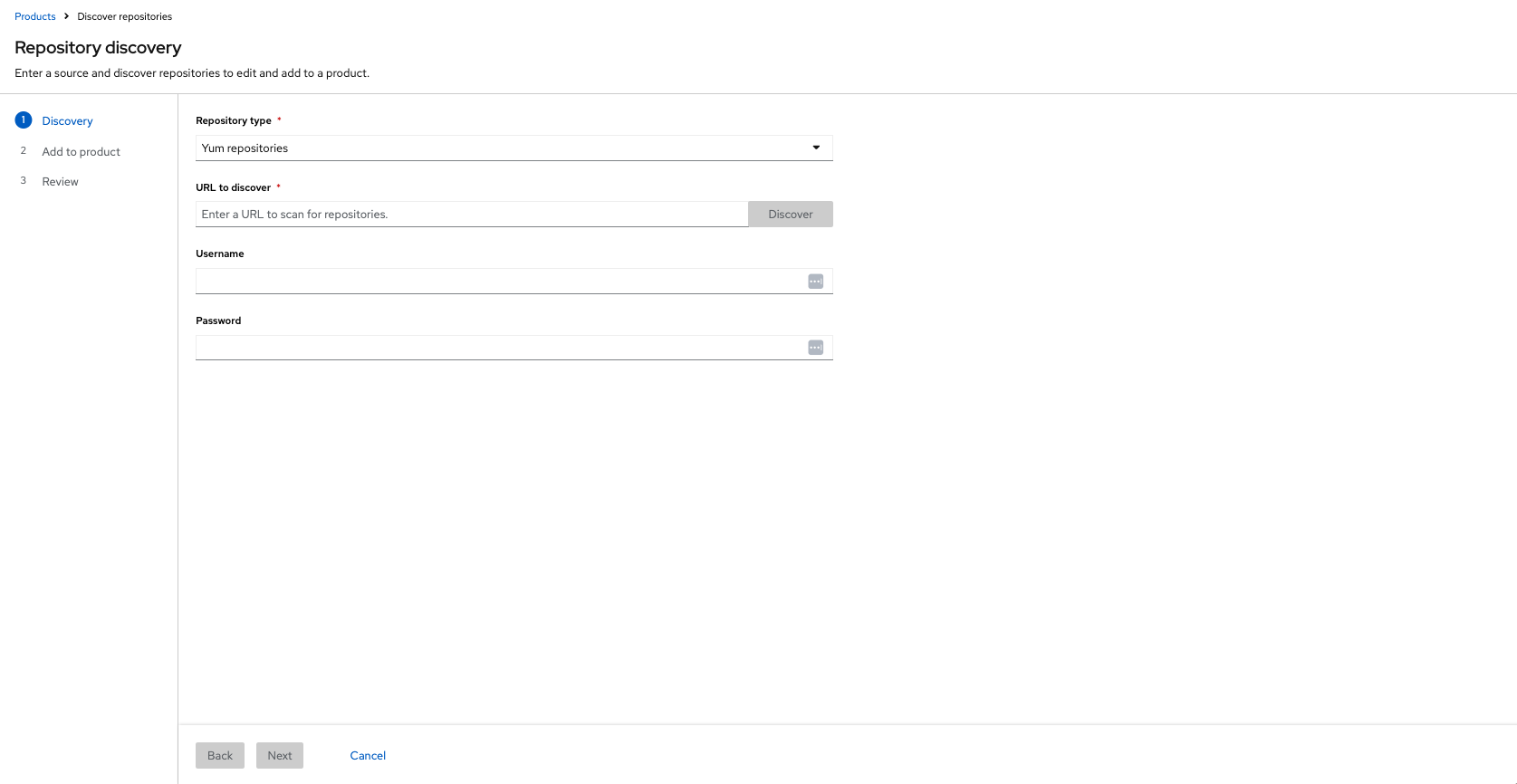
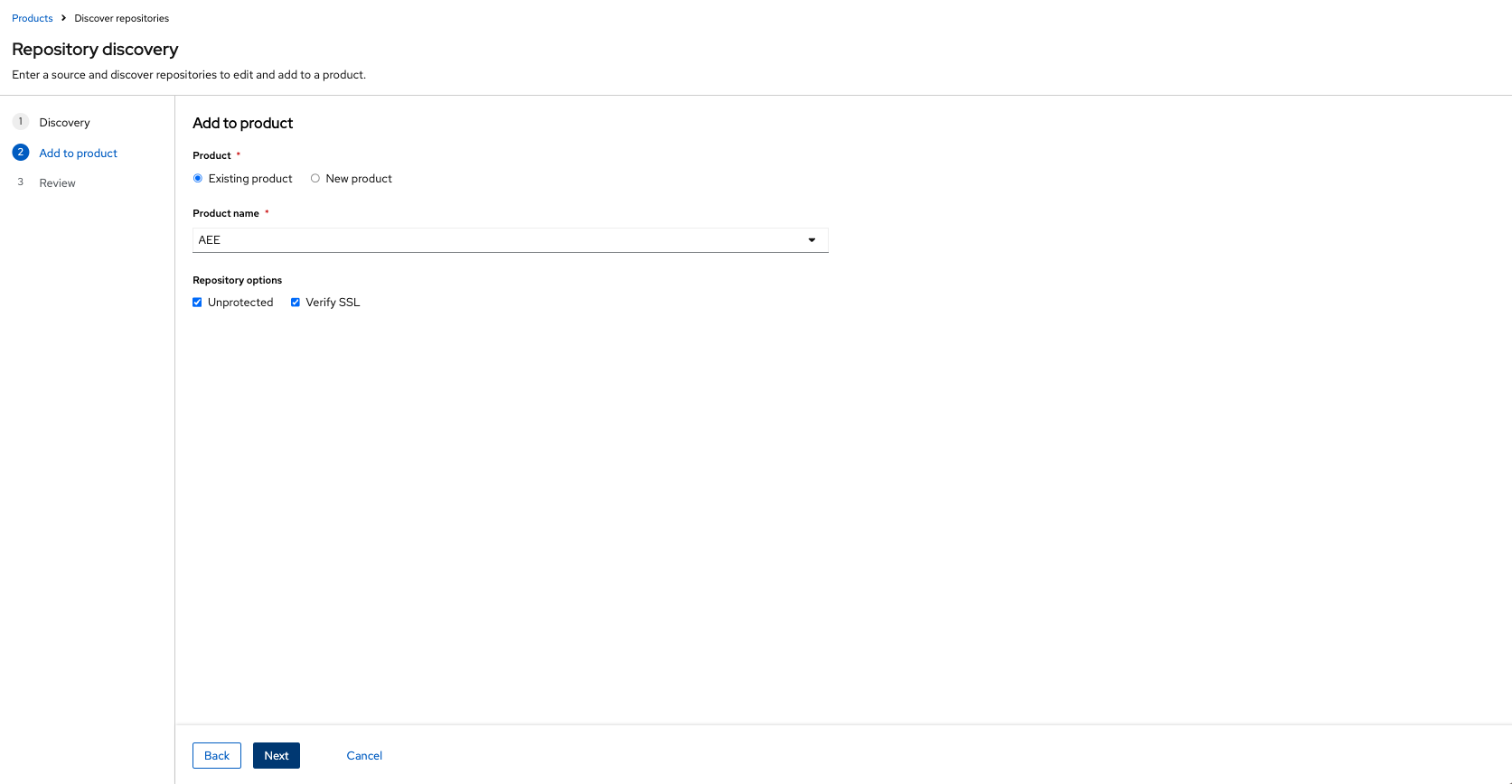
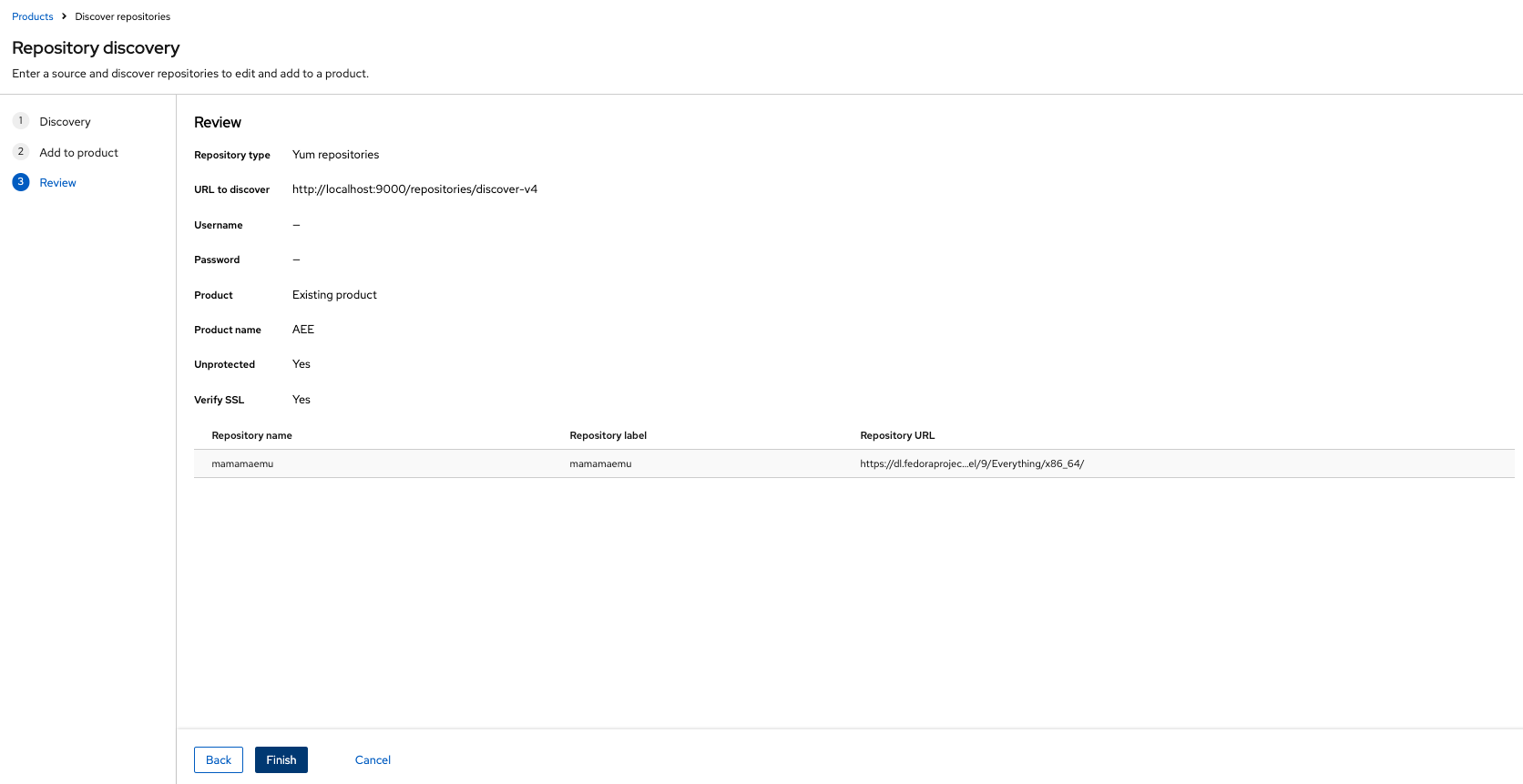
- Wizard — closer to today’s flow: Discovery → Add to product → Review
- Single-page form — one form: choose product, discover, select/edit, create
Option 1: Full page Wizard
Option 2: Full page form
What we would like feedback on
Sync authentication
Is collapsing it right for yum? Anything we should still force people to see up front?
Terminology: Add vs. Create vs. Discover
This is the part we are least sure about. The flow really has three different actions, and the UI currently mixes the words: The page is “Repository discovery”, the scan button is Discover, the second step is Add to product, and the form’s primary button is Create selected.
- Should the page stay Repository discovery, or move toward Create repositories / Add repositories?
- For the primary button after selection, do you prefer Create repositories, Add repositories, or Create selected?
- Should Discover stay as the scan action only, and not appear in the page title?
Sync action:
After repositories are created and added to the Product successfully, users need to sync it (Go to product detail page and sync it) Do you see some use cases when you want to sync it at the time of creation?
- Yes, sync option would help me in this flow (fewer clicks, quicker task accomplishment)
- I don’t care about sync option
The main question: Wizard vs. single page form vs. other
- Wizard (steps)
- Form (one page)
- Other (pls, describe in the comment)
Thank you for your insights and help
