
SSH key issue and how to update new foreman detail in host

Problem: 1. After backup restore to new RHEL-9 foreman-katello server, seems /var/lib/foreman-proxy/ssh/ have old forman-katello servers key (not updated with new servers detail)

2. New OS installation via foreman PXE, after OS install when ansible role is running it get failed because of ssh key permission issue.

3. how to update new foreman details in hosts which is listing in Hosts > All Hosts

Expected outcome:

Foreman and Proxy versions: 3.12.1 & 3.12.1

Katello versions: 4.14

Foreman and Proxy plugin versions: 3.12.1

Distribution and version: RHEL - 9.7

Other relevant data:

Explaination:

I have old setup of foreman-katello (3.12-4.14) environment on RHEL-8.10, due to RHEL-8 I am not able to upgrade Foreman-katello to higher version because OS restriction, So I build new RHEL-9.7 server and install same foreman-3.12.1 and katello-4.14 version with same plugins. then I create backup without pulp data in old foreman and transfer backup to new foreman and shutdown old foreman server, then I change hostname of new foreman to old foreman name and restore backup, after successful restore I have revert hostname to new hostname of new foreman server then I run katello-hostname-change command on new foreman server then run this command “foreman-installer --foreman-proxy-foreman-base-url https://<new_hostname> --foreman-proxy-trusted-hosts <new_hostname> --puppet-server-foreman-url https://<new_hostname>“ after that update host in hammer file “/etc/hammer/cli.modules.d/foreman.yml”.

Now my foreman-katello setup is working fine, but inforeman -proxy directory /var/lib/foreman-proxy/ssh/ having old foreman keys. So I delete all keys and regenerated via command “sudo -u foreman-proxy ssh-keygen -t rsa -b 4096 -f /var/lib/foreman-proxy/ssh/id_rsa_foreman_proxy -N ““ “

then I put the public key in file /root/.ssh/authorozed_keys inside same foreman server for testing, then I run the self job in foreman so it was successful.

But When I am doing new OS installation from new foreman server, so OS installation completing without any issue but ansible role get failed because of foreman ssh key not copied on newly OS installed server.

1:

[DEPRECATION WARNING]: ANSIBLE_CALLBACK_WHITELIST option, normalizing names to

2:

new standard, use ANSIBLE_CALLBACKS_ENABLED instead. This feature will be

3:

removed from ansible-core in version 2.15. Deprecation warnings can be disabled

4:

by setting deprecation_warnings=False in ansible.cfg.

5:

6:

PLAY [all] *********************************************************************

7:

8:

TASK [Gathering Facts] *********************************************************

9:

fatal: [Client_name.com]: UNREACHABLE! => {“changed”: false, “msg”: “Failed to connect to the host via ssh: Warning: Permanently added ‘10.101.62.27’ (ED25519) to the list of known hosts.\r\nroot@xx.xx.xx.xx: Permission denied (publickey,gssapi-keyex,gssapi-with-mic,password).”, “unreachable”: true}

10:

PLAY RECAP *********************************************************************

11:

Client_name.com : ok=0 changed=0 unreachable=1 failed=0 skipped=0 rescued=0 ignored=0

12:

Exit status: 1

13:

StandardError: Job execution failed

I tried to create global parameter “remote_execution_ssh_keys String paste ssh public key“ but not work. it means ssh keys not copied on host.

After backup restore on new foreman I can see all the hosts (1000+ hosts) in new foreman (hosts > all hosts) which is available in old foreman, but I can’t able to run the job because hosts are not registered with new foreman, they are registered with old foreman servers, how can I update my new foreman details into all hosts so that I can able to manage all hosts from new foreman. is there any specific step do I have to follow or did I missed anything.
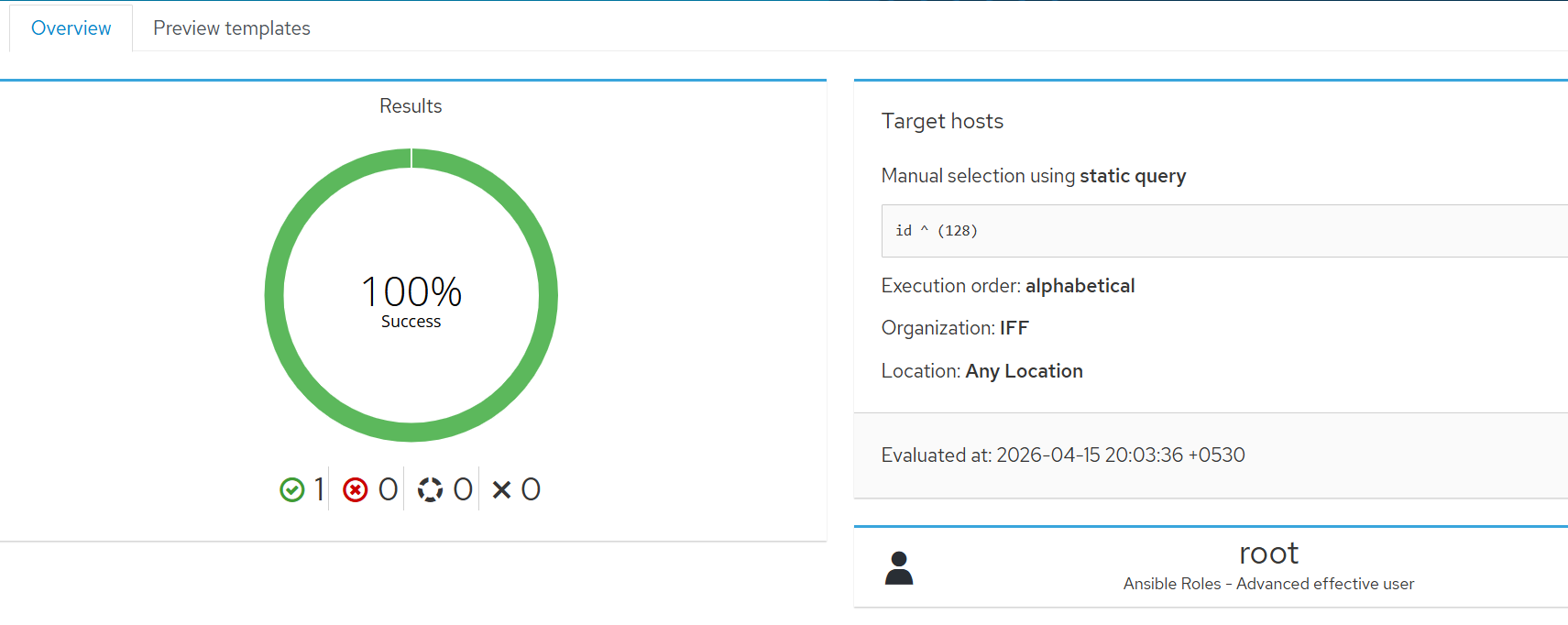
If you change ssh keys on the proxy, you need to refresh the proxy in foreman so that foreman can load the new public key and distribute it to hosts during provisioning. Until you do this, the hosts will be provisioned with the old key.

Hello @aruzicka

I already did refresh smart proxy multiple times, via foeman-maintain command, systemctl restart foeman-proxy but nothing is work, also I can see in foreman UI, smart proxy was reflecting to new foreman name.

Also I notice when I am doing host register with new foreman server, so old foreman ssh key is coping into host ssh file (/root/.ssh/authorized_keys)

By refresh, I meant going to Infrastructure > Smart Proxies, clicking clicking that one smart proxy in question and in the detail view, clicking Actions > Refresh in upper right corner.

Trying this with foreman-maintain and systemctl were good attempts, but they do something different.

Great its works.

Now I have one more challenge.

I have migrated my environemnt from old foreman-katello to new via restore method, after restore the backup to new foreman all 1000+ hosts are showing in hosts > all host but I cant able to run any job on any host because that host having old foreman ssh key and they are registered with old foreman, how can I update all these 1000+ hosts with new foreman, so that they will be registered (they get rpm from new foreman) with new foreman and ssh key will be updated.

Easiest way is to generate a registration command (with force=true) and run it on each host. This will take care of

  • unregistering from the old Foreman
  • configuring your subscription-manager to the new Foreman
  • registering to the new Foreman
  • setting up REX SSH keys (make sure you set the “Setup REX” to yes)

You can do this in the UI, Hosts > Register Host.

using this method to register hosts is fine, UI, Hosts > Register Host. If I can follow this I need to do it for all 1000+ hosts manually, and we don’t have all hosts of same OS, we are using different flavour of OS and from different environment.

is there any other method other than that that we need to follow after restoring the backup on new build foreman.

I think you could

  1. generate the command from the new Foreman
  2. move the command to a remote execution job template on the old Foreman (“Run Command”)
  3. run it on all your hosts

A single registration command can be used on multiple hosts. So you would only need as many registration commands as you have different host configurations.

Note that if the REX job succeeds, the host will lose communication with the old Foreman and you should now be able to control it from the new Foreman.

Definitely test it on 1 or 2 hosts first.

If you still have the old key somewhere, something could be scripted together with a list of hosts, ssh-copy-id and optionally parallel.

Hello @jeremylenz

Thank you very much for answering the question.

I understood method, we can also run registration command against host group basis ( Generate registration cmd on new foreman > go to old foreman > Monitor > Jobs > Run job > command template > paste the registration command and run against host group).

As I experiance before if we have 2 foreman server and we are doing registration of host to new foreman it will registered but host could not delete from old foreman, we need to manually delete it (Hosts > All hosts > select host > delete). So this again involve other manual task.

Hi @aruzicka

How can I check the old ssh key in server?

I am encountering another issue while running the ansible role on the host, after restore foreman backup non of ansible role are copied in /etc/ansible/roles directory in new foreman but I can see some of the roles are present in foreman UI (Configure > Ansible > Roles), When I run role on host it skip all task and successful without applied any change on host.

Note: I copied all the roles from old foreman to new foreman via scp cmd

1:
[DEPRECATION WARNING]: ANSIBLE_CALLBACK_WHITELIST option, normalizing names to
2:
new standard, use ANSIBLE_CALLBACKS_ENABLED instead. This feature will be
3:
removed from ansible-core in version 2.15. Deprecation warnings can be disabled
4:
by setting deprecation_warnings=False in ansible.cfg.
5:
[WARNING]: Callback disabled by environment. Disabling the Foreman callback
6:
plugin.
7:

8:
PLAY [all] *********************************************************************
9:

10:
TASK [Gathering Facts] *********************************************************
11:
ok: [client-host.com]
12:

13:
TASK [Display all parameters known for the Foreman host] ***********************
14:
ok: [client-host.com] => {
15:
“foreman”: {
16:
“content_url”: “https://new-foreman-hostname.com/pulp/content”,
17:
“content_view”: “cv-rocky9”,
18:
“content_view_info”: {
19:
“components”: {
20:
“cv-docker9”: {
21:
“published”: “2026-03-01 10:29:12 UTC”,
22:
“version”: “23.0”
23:
},
24:
“cv-epel9”: {
25:
“published”: “2026-02-01 10:29:21 UTC”,
26:
“version”: “22.0”
27:
},
36:
“cv-rocky-9”: {
37:
“published”: “2026-02-01 10:31:33 UTC”,
38:
“version”: “22.0”
39:
},
40:
“cv-zabbix-9-rocky”: {
41:
“published”: “2026-03-01 10:31:05 UTC”,
42:
“version”: “23.0”
43:
}
44:
},
45:
“label”: “cv-rocky9”,
46:
“latest-version”: “16.0”,
47:
“published”: “2026-03-01 11:31:14 UTC”,
48:
“version”: “16.0”
49:
},
50:
“content_views”: [
51:
{
52:
“components”: {
53:
“cv-docker9”: {
54:
“published”: “2026-03-01 10:29:12 UTC”,
55:
“version”: “23.0”
56:
},
57:
“cv-epel9”: {
58:
“published”: “2026-02-01 10:29:21 UTC”,
59:
“version”: “22.0”
60:
},
61:

69:
“cv-rocky9”: {
70:
“published”: “2026-02-01 10:31:33 UTC”,
71:
“version”: “22.0”
72:
},
73:
“cv-zabbix-9-rocky”: {
74:
“published”: “2026-03-01 10:31:05 UTC”,
75:
“version”: “23.0”
76:
}
77:
},
78:
“label”: “cv-rocky9”,
79:
“latest-version”: “16.0”,
80:
“lifecycle_environment”: “lce-rocky9”,
81:
“published”: “2026-03-01 11:31:14 UTC”,
82:
“version”: “16.0”
83:
}
84:
],
85:
“domainname”: “host.com”,
86:
“foreman_fqdn”: “client-host.com”,
87:
“foreman_host_collections”: ,
88:
“foreman_hostname”: “client-host”,
89:
“foreman_interfaces”: [
90:
{
91:
“attached_to”: null,
92:
“attrs”: {},
93:
“identifier”: “ens160”,
94:
“ip”: “10.xx.xx.xx”,
95:
“ip6”: null,
96:
“link”: true,
97:
“mac”: “xx.xx.xx.xx.xx.xx”,
98:
“managed”: true,
99:
“name”: “client-host.com”,
100:
“primary”: true,
101:
“provision”: true,
102:
“subnet”: {
103:
“boot_mode”: “Static”,
104:
“description”: “”,
105:
“dns_primary”: “10.xx.xx.xx”,
106:
“dns_secondary”: “10.xx.xx.xx”,
107:
“from”: “”,
108:
“gateway”: “10.xx.xx.xx”,
109:
“ipam”: “None”,
110:
“mask”: “255.255.255.0”,
111:
“mtu”: 1500,
112:
“name”: “vlan”,
113:
“network”: “10.xx.xx.xx”,
114:
“network_type”: “IPv4”,
115:
“nic_delay”: null,
116:
“to”: “”,
117:
“vlanid”: null
118:
},
119:
“subnet6”: null,
120:
“tag”: null,
121:
“type”: “Interface”,
122:
“virtual”: false
123:
}
124:
],
125:
“foreman_subnets”: [
126:
{
127:
“boot_mode”: “Static”,
128:
“description”: “”,
129:
“dns_primary”: “10.xx.xx.xx”,
130:
“dns_secondary”: “10.xx.xx.xx”,
131:
“from”: “”,
132:
“gateway”: “10.xx.xx.xx”,
133:
“ipam”: “None”,
134:
“mask”: “255.255.255.0”,
135:
“mtu”: 1500,
136:
“name”: “VLAN”,
137:
“network”: “10.xx.xx.0”,
138:
“network_type”: “IPv4”,
139:
“nic_delay”: null,
140:
“to”: “”,
141:
“vlanid”: null
142:
}
143:
],
144:
“foreman_users”: {
145:
“username”: {
146:
“description”: “”,
147:
“firstname”: “name”,
148:
“fullname”: “name of job runner”,
149:
“lastname”: “name”,
150:
“mail”: “email of job runner”,
151:
“name”: “username”,
152:
“ssh_authorized_keys”:
153:
}
154:
},
155:
“hostgroup”: “hg-rocky9”,
156:
“kickstart_repository”: “Rocky_9_BaseOS_OS_on_x86_64”,
157:
“lifecycle_environment”: “LCE-rocky9”,
158:
“location”: “Ash”,
159:
“location_title”: “Global/US/Ash”,
160:
“organization”: “ORG”,
161:
“organization_title”: “ORG”,
162:
“owner_email”: “owner email”,
163:
“owner_name”: “name of host owner”,
164:
“rhsm_url”: “https://new-foreman-hostname.com/rhsm”,
165:
“root_pw”: “$5$bjMOWMrh1zso4ukd$/9S5pLLDszCO1Jds31arScAiB”,
166:
“server_ca”: null,
167:
“ssh_authorized_keys”: ,
168:
“ssl_ca”: “-----BEGIN CERTIFICATE-----\nMIIHDjCCBPagAwIBAgIUEvg5riUoSvi5qvEZ04hgm7dy9a0wDQYJKoZIhvcNAQEL\nBQAwgYYxCzAJBgNVBAYTAlVTMRcwFQYDVQQIDA5Ob3J0aCBDYXJvbGluYTEQMA4G\nA1UEBwwHUmFsZWlnaDEQMA4GA1UECgwHS2F0ZWxsbzEUMBIGA1UECwwLU29tZU9y\nZ1VuaXQxJDAiBgNVBAMMG3VzYWJmcm1hcGR2Mi5nbG9iYWwuaWZmLmNvbTAeFw0y\nNDA3MTUxMjU1NTFaFw0zODAxMTgxMjU1NTFaMIGGMQswCQYDVQQGEwJVUzEXMBUG\nA1UECAwOTm9ydGggQ2Fyb2xpbmExEDAOBgNVBAcMB1JhbGVpZ2gxEDAOBgNVBAoM\nB0thdGVsbG8xFDASBgNVBAsMC1NvbWVPcmdVbml0MSQwIgYDVQQDDBt1c2FiZnJt\nYXBkdjIuZ2xvYmFsLmlmZi5jb20wggIiMA0GCSqGSIb3DQEBAQUAA4ICDwAwggIK\nAoICAQDFAH1Andeygihko73qJqN10L+95ZnFvJnhf5njLepNMdJ6FBBhn5WMybii\na9ZJeJZF1ZuTtqJGWqOx8qHHzmA9yLu3SmUwwWdC5Oq5I7aWogNVBAsM3TIEC9HdGB3qPaa23X7A6lC+Qz4lvH\nsBR2aCGZb3X5IwEiTzTpfNs2NKtewQyIP0uMEOhYWUkfpE7GwVPoO3ujEDl431gV\nq6e2IsbN9hKQ7+kPlR2DW7Js62u2bgJfThQEicFDoh+2gFw6cUjSIC6IlTnpMkRa\nJO8nO38LqvKD41YwJeaIMbeToXK7iBpbTmGmrxSNLjNZeptt8mf9z/A2oAt0UJlq\npq6OTh1qqoSlpck0u3xnTNpH/tdUivmRZWBhOy3JG/+9CZrOTBFMxHRVEpBnLuIH\ndPMNVGlUBR6vow5UbQ9/6JlvhJb/fxJTAn6Qr/reoeFSlKTTH//+tmfBrGf5S9o8\nn8r96VAcD9T6wjIitBuKVu0U95B4wJzMeEJ+73DIUczp0Wm7jxCYrmMrdTUogpBS\npKSvEuglDrtKVa76RMcxCzSxf6rN6SmImmGYZA+/XletBLtmrCN5XAF3T/Yi2qvM\n134zvQPi01aR/14z9iRPiW+OUQEhxeLPLrYcQNrNnnxPYA89HBLtlAX1Q96IYv4W\nH6WM1UPyaxhgq5f4kMvxJQIcxn/njlXYUAsxxy8336bQ/tKqujTWOLZtDkJ4T9gJ\nOnq9t3zTh+2y1BUYesnpcAGkJP+Dbn4TZs7egZU0Mn3hhw==\n-----END CERTIFICATE-----\n”
169:
}
170:
}
171:

172:
TASK [Apply roles] *************************************************************
173:
PLAY RECAP *********************************************************************
174:
Client-host.com : ok=2 changed=0 unreachable=0 failed=0 skipped=0 rescued=0 ignored=0
175:
Exit status: 0

There is a setting, “Delete host on unregister”, which should help you avoid manual work there.

how to achieve this setting can you please explain. I mean where I can update this setting, in UI or CLI and how to do it, can you please guide.